
 To Next Page
D
Dillon MurphySep 23, 2025
What to do if there is a Charger Failure on my Cyber Power UPS?
- VvgonzalezSep 23, 2025
Contact CyberPower for assistance.

What to do if there is a Charger Failure on my Cyber Power UPS?
Contact CyberPower for assistance.
What to do if my Cyber Power UPS shows Output Overload?
If your Cyber Power UPS indicates an output overload, it means your connected equipment is drawing more power than the UPS can supply. As a result, the UPS will switch to Bypass Mode if running on utility power, or shut down if running on battery power. To resolve this, turn off any non-essential equipment. If this fixes the issue, the UPS should return to normal operation.
What to do if my Cyber Power UPS indicates Battery Failure?
If your Cyber Power UPS displays a battery failure message, it means the UPS has failed the battery test. Check the battery connector and battery fuse. Contact technical support to replace the battery.
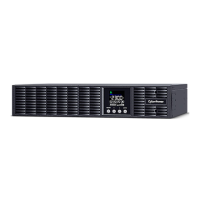
How to fix Over Temperature error on Cyber Power OLS1500ERT2UA UPS?
If your Cyber Power UPS displays an over temperature error, it means the high temperature sensor has activated protection. Check the fan to ensure it's working and that the ventilation holes are not blocked.
What does 'Output Short' mean on my Cyber Power UPS and how to fix it?
If your Cyber Power UPS displays 'Output Short', it indicates an output short circuit. This may be due to problems with your connected equipment. Remove the attached equipment and check again.
Why does my Cyber Power OLS1500ERT2UA UPS say 'BAT Disconnected'?
If your Cyber Power UPS shows 'BAT Disconnected', it indicates a missing battery power connection. Check the battery connector and the battery fuse.
What to do if there is an Output Short on my Cyber Power OLS1500ERT2UA?
If your Cyber Power UPS indicates an output short circuit, there may be a problem with the connected equipment. Disconnect the attached equipment and check again.
What to do if my Cyber Power OLS1500ERT2UA says Battery Low?
If your Cyber Power UPS indicates a low battery, it means the UPS is operating on battery power, and the alarm activates when the battery capacity or remaining back-up time reaches a set percentage. The UPS will shut down soon due to very low battery voltage. The UPS will automatically restart when acceptable utility power returns.
What causes Over Charge on Cyber Power OLS1500ERT2UA?
If your Cyber Power UPS indicates an overcharge, it means the battery is overcharged. Remove the battery connector and check the charger voltage.
What does 'Service Battery' mean on my Cyber Power OLS1500ERT2UA UPS?
If your Cyber Power UPS displays 'Service Battery', the battery replacement date has reached the recommended 3-year maintenance period. If the batteries have been recently replaced, reset the Battery Replacement Date using PowerPanel® Business Edition-Agent software, RMCARD interface, or through the LCD control panel on the UPS.
 General
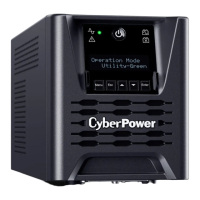
| Output Power Capacity | 900 W |
|---|---|
| Output Frequency | 60 Hz |
| Output Connections | NEMA 5-15R |
| Outlets | 8 |
| Typical Recharge Time | 8 hours |
| Form Factor | Tower |
| Waveform Type | Sine Wave |
| Communication Ports | USB, Serial |
| Power Rating | 1500 VA |
| Nominal Input Voltage | 120V |
| Nominal Output Voltage | 120V |
| Input Frequency | 50/60Hz |
| Battery Type | Sealed Lead Acid |
| Battery Recharge Time | 8 hours |
| Weight | 15 kg |
| Transfer Time | 4 ms |
| Management | PowerPanel |