EasyManua.ls Logo

Cyber Power OR500LCDRM1U - User Manual

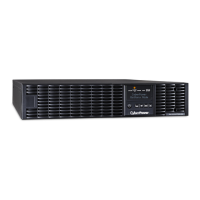
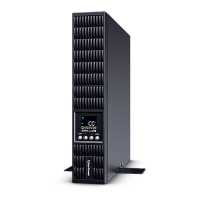
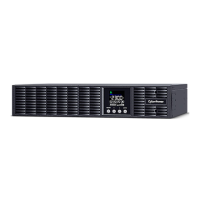
Cyber Power OR500LCDRM1U
9 pages
Print Icon
To Next Page IconTo Next Page
Loading...
INTELLIGENT UPS SERIES
OR500LCDRM1U / OR700LCDRM1U
USER MANUAL
YOUR ULTIMATE ALLY IN POWER
Cyber Power Systems (USA), Inc.
4241 12th Avenue East, Suite 400 | Shakopee, MN 55379 | CyberPowerSystems.com
FEATURES
1. LCD Module Display
2. Power On Indicator
3. Power Switch
4. LCD Function Selected Switch
5. Battery and Surge Protected Outlets
6. Full-Time Surge Protection Outlets
7. SNMP / HTTP Network Slot
8. Communication Protection Ports RJ45
9. USB Port to PC
10. Dry Contact
11. Circuit Breaker
12. AC Input
13. Electrical Wiring Fault Indicator (Red)

Questions and Answers

  • D
    dmillerJul 29, 2025
    What to do if my Cyber Power OR500LCDRM1U UPS will not turn on?
    • S
      sabrina60Jul 29, 2025
      If your Cyber Power UPS won't turn on, there are a few potential causes. The on/off switch is designed to prevent damage from rapidly turning it off and on. Try turning the UPS off, waiting 10 seconds, and then turning it back on. If that doesn't work, the battery might be worn out, or there could be a mechanical problem. In both of these cases, you can contact CyberPower Systems for support.
  • L
    Lauren RodriguezAug 6, 2025
    Why is my Cyber Power OR500LCDRM1U not providing the expected runtime?
    • M
      Matthew AyalaAug 6, 2025
      There are a couple of reasons why your Cyber Power UPS might not be providing the expected runtime. First, the battery may not be fully charged. To fix this, recharge the battery by leaving the UPS plugged in. Another reason could be that the battery is worn out. In that case, you can contact CyberPower Systems about replacement batteries.
  • Z
    zamoraarianaAug 13, 2025
    How to fix inactive PowerPanel on Cyber Power OR500LCDRM1U UPS?
    • D
      David WalkerAug 13, 2025
      If PowerPanel® Personal is inactive and all icons are grayed out, it could be due to a couple of reasons. First, check if the USB cable is properly connected to both the UPS unit and an open USB port on the back of your computer. If the cable is connected, the unit might not be providing battery power. To resolve this, shut down your computer, turn the Cyber Power UPS off, wait 10 seconds, and then turn the UPS back on. This should reset the unit.
  • U
    usantosAug 20, 2025
    What to do if Cyber Power OR500LCDRM1U surge protection outlets stop working?
    • D
      Daniel FieldsAug 20, 2025
      If the full-time surge protection outlets on your Cyber Power UPS stop providing power, it's likely that the circuit breaker has tripped due to an overload. To resolve this, turn the UPS off and unplug at least one piece of equipment. Wait 10 seconds, then reset the circuit breaker by pressing the button. Finally, turn the UPS back on.

Summary

Product Registration

Important Safety Warnings

Installing Your UPS System

Unpacking

Inspect the UPS upon receipt. Check for UPS unit, user's manual, rack mount brackets, and USB A+B type cable.

Overview

Explains automatic voltage regulation (AVR) and surge protection for consistent power and data saving during outages.

Automatic Voltage Regulator (AVR)

Stabilizes inconsistent utility power by automatically increasing low voltage to a safe 110v/120v level.

Determine Power Requirements

Ensure equipment capacity doesn't exceed UPS rating; keep load below 80% for optimal system performance.

Hardware Installation Guide

Instructions for connecting UPS, computer, and peripherals, including initial battery charging and proper outlet usage.

Basic Operation

Component and Port Descriptions

Details the LCD display, indicators, switches, outlets, and various ports like USB, RJ45, and AC input.

Replacing the Battery

Definitions for Illuminated LCD Indicators

Troubleshooting

Technical Specifications

System Function Block Diagram

CyberPower GreenPower UPS Technology

Advanced Energy-Saving Bypass Technology

Explains how bypass technology reduces energy costs and heat by bypassing the transformer under normal conditions.

FCC Compliance Statement

Canadian Compliance Statement

Limited Warranty and Connected Equipment Guarantee

Where Can I Get More Information?

Cyber Power OR500LCDRM1U Specifications

General IconGeneral
TypeLine-Interactive
Output Voltage120V
Input Voltage120V
Number of Outlets8
Outlet TypeNEMA 5-15R
Outlets - Battery & Surge Protected4
Form Factor1U Rackmount
Runtime at Half Load8 minutes
Energy SavingYes
On Battery Frequency60 Hz
On Battery WaveformSimulated Sine Wave
Input Plug TypeNEMA 5-15P
Input Plug StyleStraight
Typical Recharge Time8 hours
User ReplaceableYes
EMI/RFI FiltrationYes
DisplayLCD
Audible AlarmsYes
Management SoftwarePowerPanel Personal Edition
WaveformSimulated Sine Wave
Transfer Time4 ms
Battery Recharge Time8 hours
Communication PortsUSB
Output Power Capacity500VA / 300W
Battery TypeSealed Lead Acid
Input Frequency50/60 Hz
Cord Length6 ft
Data Line ProtectionRJ45
Frequency50/60 Hz
Operating Temperature32°F to 104°F (0°C to 40°C)
Humidity0% to 95% Non-condensing
Storage Temperature-4°F to 113°F

Related product manuals