Press the power button to turn on the system. To force a shutdown, press and hold the
power button for 4-seconds.
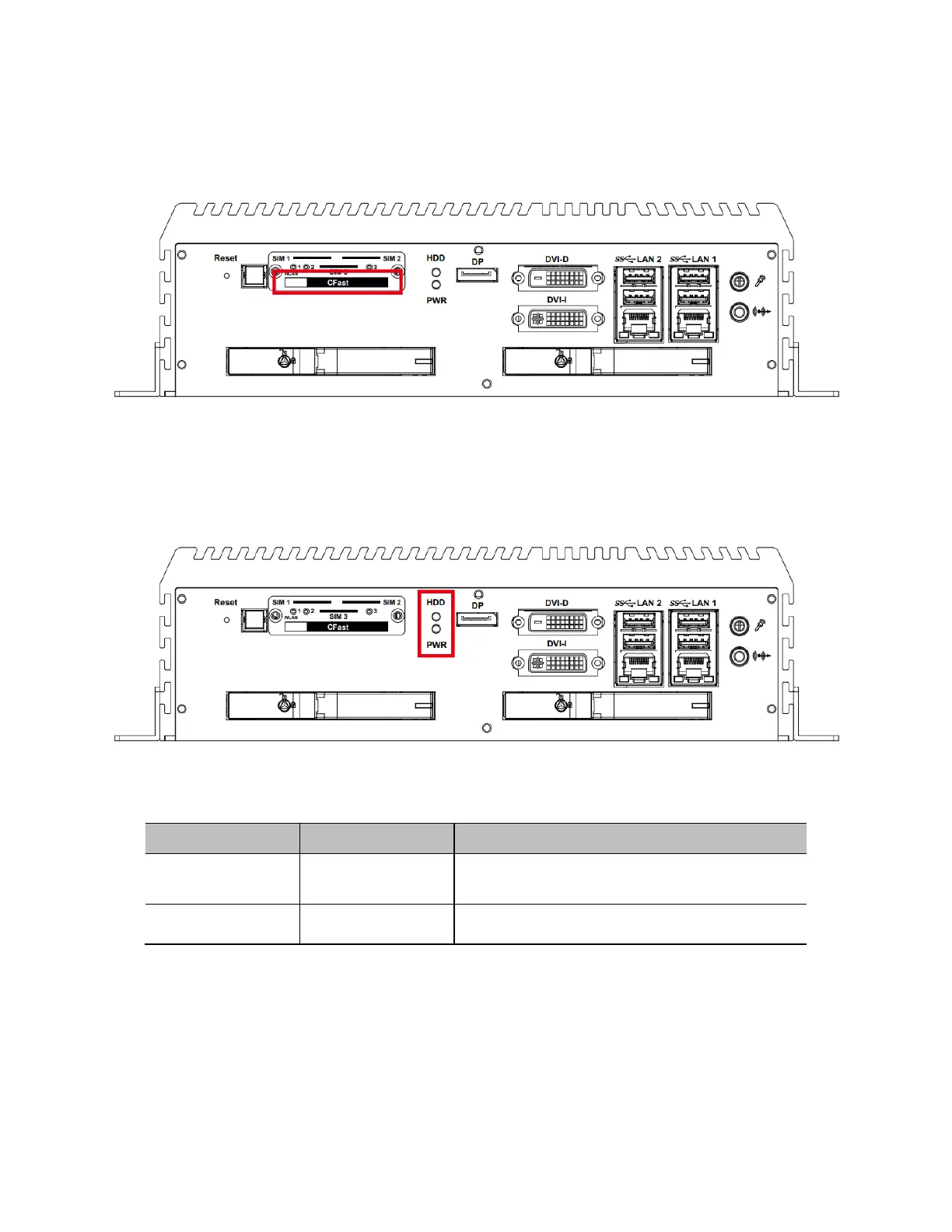
Cfast Card
Supports Type-I/II Compact Flash card. Be sure to disconnect the power source and
unscrew the Cfast socket cover before installing a Cfast card. The R1S/E1S does not
support hot-swapping and PnP (Plug and Play) functions. The Cfast card must be
installed when the system is powered off.
PWR and HDD LED Indicator
The HDD and PWR LED indicators will indicate the HDD and power status, as shown in
the table below.


 To Next Page