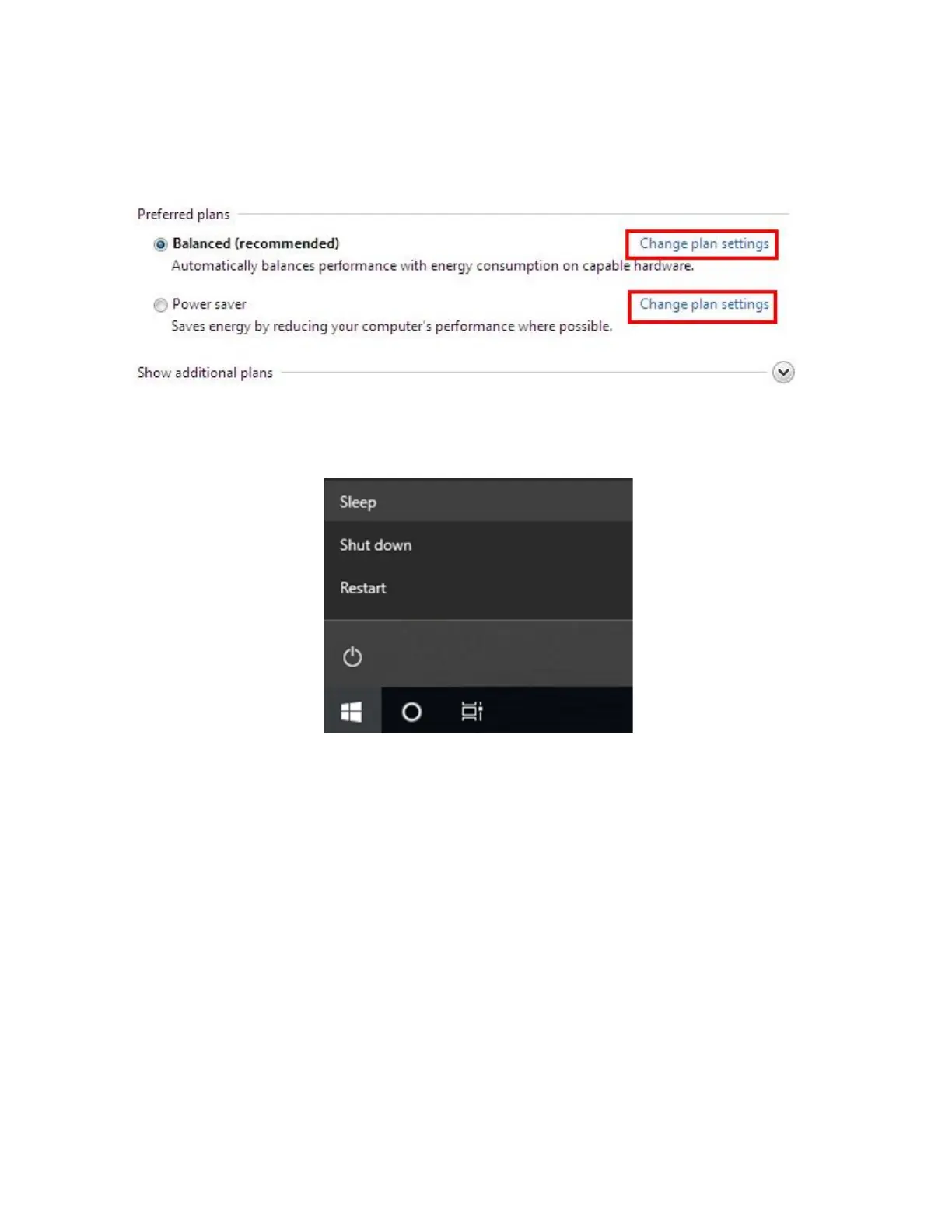
Select a power plan that suits your personal needs. You may also fine-tune the settings
by clicking [Change plan settings].
For quick and convenient management of system power, the Shut Down Menu provides
options for Sleep (S3) and Shut Down (S5).
Power Management through ENERGY STAR qualified monitors (Not supplied with the
IPC-R1s / IPC-E1s)
The power management feature allows the IPC-R1s / IPC-E1s to initiate a low-power or
“Sleep” mode after a period of user inactivity. When used with an external ENERGY
STAR qualified mnitor, this functionality also supports similar power management
features for the display. To take advantage of these potential energy savings, the power
management feature can be set to behave in the following ways when the system is
operating on AC power:
• Turn off the display after 15 minutes.
• Initiate Sleep after 30 minutes.


 To Next Page