EasyManua.ls Logo

CyberPower OLS1000E - User Manual

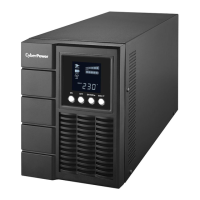
CyberPower OLS1000E
16 pages
Print Icon
To Next Page IconTo Next Page
Loading...
Users Manual
OLS1000E/EXL
OLS1500E/EXL
OLS2000E/EXL
OLS3000E/EXL
CyberPower Systems Inc.
www.cpsww.com
K01-C000036-00

Questions and Answers

  • K
    Kara JacksonAug 15, 2025
    How to fix O/P Overload on my CyberPower OLS1000E UPS?
    • E
      ericksonandreaAug 16, 2025
      If your CyberPower UPS indicates an O/P Overload, it means the connected equipment requires more power than the UPS can supply. To resolve this, turn off non-essential equipment. If this action solves the problem, the UPS will return to normal operation.
  • A
    Ashley YoungAug 18, 2025
    What to do if my CyberPower UPS is in Battery Mode?
    • A
      Angelica GreeneAug 19, 2025
      If your CyberPower UPS displays 'Battery Mode,' it signifies that the UPS is currently running on battery power. To prevent data loss, save your work immediately and perform a controlled shutdown of your systems.
  • E
    Edward RobinsonAug 21, 2025
    What happens when my CyberPower OLS1000E shows Battery Low?
    • R
      Ryan ShermanAug 21, 2025
      If your CyberPower UPS displays 'Battery Low,' it means the UPS is running on battery power and will shut down soon due to critically low battery voltage. The UPS will automatically restart once acceptable utility power is restored.
  • J
    Jill BanksAug 25, 2025
    Why does my CyberPower OLS1000E UPS show Startup fail?
    • H
      Heidi SheltonAug 25, 2025
      If your CyberPower UPS shows 'Startup fail' the reason might be high temperature, or fan fail, or battery low, or EPO off. Restart the UPS and press the “?” button to view the warning event. Then refer to the solution for the warning. Also you may contact CyberPower for repair.
  • V
    victoria68Aug 28, 2025
    What to do if CyberPower OLS1000E displays Over Temperature?
    • A
      Anthony MullinsAug 28, 2025
      If your CyberPower UPS is showing 'Over Temperature', this indicates a high ambient temperature. Shut down the UPS. Restart the UPS to check the fan operation and ensure the ventilation holes are not covered. You may also contact CyberPower for repair.
  • M
    Megan DonovanAug 31, 2025
    Why does my CyberPower UPS say BAT Disconnected/ Battery Replace?
    • C
      Cesar FloresAug 31, 2025
      If your CyberPower UPS displays 'BAT Disconnected/ Battery Replace', it indicates a missing battery power. If you use battery packages, check the battery connector. If the UPS has failed the Battery Test, contact technical support to replace the battery.
  • T
    Thomas SmithSep 2, 2025
    What causes Output Short on a CyberPower OLS1000E?
    • J
      Jessica HenrySep 2, 2025
      If your CyberPower UPS displays 'Output Short', it indicates an output short circuit. Shut down the UPS. The attached equipment may have problems, so remove them and check again.
  • D
    Daniel AlexanderSep 5, 2025
    How to deal with Charger Failure on CyberPower UPS?
    • M
      Michelle TaylorSep 5, 2025
      If your CyberPower UPS displays 'Charger Failure', it means the charger has failed. Shut down the UPS and turn off AC input. Contact CyberPower for repair.
  • T
    tamaraphillipsSep 9, 2025
    What does High O/P V mean on my CyberPower UPS?
    • R
      Ryan JenningsSep 9, 2025
      If your CyberPower UPS displays 'High O/P V', it indicates that the output voltage is too high. Shut down the UPS and contact CyberPower for repair.
  • J
    Jason AndradeSep 12, 2025
    What does EPO OFF mean on CyberPower UPS?
    • M
      matthew03Sep 12, 2025
      If your CyberPower UPS displays 'EPO OFF', it indicates a missing EPO connection. Check the EPO connection.

Summary

IMPORTANT SAFETY INSTRUCTIONS

General Safety Precautions

Critical safety warnings and guidelines for operating the UPS unit.

UPS SYSTEM INSTALLATION

System Diagram and Hardware Installation

Visual system layout and step-by-step hardware installation guide.

POWER MODULE PANEL DESCRIPTION

BATTERY MODULE PANEL DESCRIPTION

CONNECTING POWER AND BATTERY MODULES

Connecting One Battery Module

Step-by-step instructions for connecting one battery module to the UPS.

CONNECTING MULTIPLE BATTERY MODULES

BASIC OPERATION: EVENT LOGS AND BUTTONS

LCD SETUP AND INFORMATION

MAINTENANCE AND BATTERY CARE

Storage, Safety, and Battery Replacement

Guidelines for storing the UPS, safety precautions, and replacing batteries.

TECHNICAL SPECIFICATIONS - PART 1

TROUBLESHOOTING GUIDE

Resolving Operational Warnings

Identifies common warnings, their causes, and solutions for the UPS.

Addressing Faults and Other Issues

Guides users through troubleshooting faults, output issues, and startup failures.

CyberPower OLS1000E Specifications

General IconGeneral
WaveformSine
Efficiency95 %
Output power800 W
Input frequency40/70 Hz
Audible alarm modesBattery replacement
Output power capacity1 kVA
Emergency Power Off (EPO)Yes
Power protection featuresShort circuit
Surge protection featuresFax, Modem, Network, Telephone
Input operation voltage (max)280 V
Input operation voltage (min)120 V
Output operation voltage (max)240 V
Output operation voltage (min)208 V
Power plugC14 coupler
AC outlet typesC13 coupler
AC outlets quantity4 AC outlet(s)
Serial ports quantity1
USB 2.0 ports quantityUSB 2.0 ports have a data transmission speed of 480 Mbps, and are backwards compatible with USB 1.1 ports. You can connect all kinds of peripheral devices to them.
Form factorMini Tower
Cooling typeActive
Display typeLCD
Product colorBlack
Battery voltage12 V
Battery capacity7 Ah
Battery technologySealed Lead Acid (VRLA)
Battery recharge time5 h
Number of batteries supported3
Typical backup time at full load6 min
Typical backup time at half load16 min
Bundled softwarePowerPanel BE
Operating temperature (T-T)0 - 40 °C
Operating relative humidity (H-H)0 - 90 %
Weight and Dimensions IconWeight and Dimensions
Depth394 mm
Width151 mm
Height225 mm
Weight13100 g

Related product manuals