EasyManua.ls Logo

CyberPower OL1000RTXL2U - User Manual

CyberPower OL1000RTXL2U
20 pages
Print Icon
To Next Page IconTo Next Page
Loading...
YOUR ULTIMATE ALLY IN POWER
SMART APP ONLINE UPS SERIES
USER MANUAL
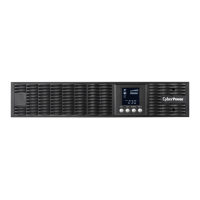
Power Button / Power On Indicator
UPS Status / Fault / Replace
Battery LED Indicator
Multifunction LCD Readout
Function Buttons
Input Circuit Breaker
Battery Backup & Surge
Protected Outlets
Critical / Noncritical Load
Serial Port
USB Port
Surge Protected Communication
Ports RJ-45 / RJ-11
Relay Output Connector
Expansion Slot
Extended Runtime Battery
Module Connector
EPO (Emergency Power O)
Connector
AC Input Inlet
1
6 10
2
3
7
11
4
8
12
5
9
13
14
OL1000RTXL2U
OL1000RTXL2UN
OL1500RTXL2U
OL1500RTXL2UN
OL2200RTXL2U
OL2200RTXL2UN
OL3000RTXL2U
OL3000RTXL2UN
OL3000RTXL2UHVN
Cyber Power Systems (USA), Inc.
4241 12th Avenue East, Suite 400 | Shakopee, MN 55379 | CyberPowerSystems.com
10
13 12
7 8 9 11 14 5 6
4
2
1
3
10
13 127
8
911
14
5
6
10
13 127
8 911
14
5
6
10
13 127
8 911
14
5 6
OL1000RTXL2U / OL1500RTXL2U / OL2200RTXL2U / OL3000RTXL2U / OL3000RTXL2UHV
OL1000RTXL2U / OL1500RTXL2U
OL3000RTXL2U
OL2200RTXL2U
OL3000RTXL2UHV

Questions and Answers

  • P
    pwilliamsSep 12, 2025
    What to do if my CyberPower UPS displays BAT Disconnected?
    • H
      Holly ClarkSep 12, 2025
      If your CyberPower UPS displays a BAT Disconnected message, it indicates missing battery power. Check the battery connector and battery breaker.
  • P
    Patrick HudsonAug 25, 2025
    What to do if my CyberPower OL1000RTXL2U displays Replace Battery?
    • S
      Shelly HamiltonAug 25, 2025
      If your CyberPower UPS displays Replace Battery, it means the battery will soon need to be replaced due to insufficient runtime. Contact technical support to replace the battery.
  • J
    John YangAug 25, 2025
    When should I replace the battery in my CyberPower UPS?
    • A
      Alyssa MarshAug 26, 2025
      The 'Replace Battery' message on your CyberPower UPS indicates that the battery will soon need replacement due to insufficient runtime. Contact technical support to replace the battery.
  • A
    Amanda WalkerSep 23, 2025
    What does 'Over Charge' mean on my CyberPower UPS?
    • R
      Rodney CoxSep 23, 2025
      If your CyberPower UPS displays 'Over Charge', it means the battery is overcharged. Remove the battery connector and check the charger voltage.
  • N
    Nicole JohnsonSep 12, 2025
    What to do if my CyberPower OL1000RTXL2U UPS displays Output Short?
    • B
      Brenda MejiaSep 12, 2025
      If your CyberPower UPS displays an Output Short message, it means there may be a short circuit. Your attached equipment may have problems, please remove them and check again.
  • C
    Casey RichardsonSep 16, 2025
    What to do if my CyberPower OL1000RTXL2U UPS displays High O/P V?
    • E
      Erica LewisSep 16, 2025
      If your CyberPower UPS displays High O/P V, it means the output voltage is too high. Shut down the UPS and turn off the input breaker. Contact CyberPower for repair.
  • C
    Carrie RossSep 4, 2025
    What does 'Output Short' mean on my CyberPower UPS?
    • B
      Brian Sanchez IVSep 5, 2025
      If your CyberPower UPS displays 'Output Short', it indicates an output short circuit. Your attached equipment may have problems, so remove them and check again.
  • J
    Jeremy KimSep 5, 2025
    What does 'Over Temperature' mean on my CyberPower OL1000RTXL2U UPS?
    • J
      Jason DeanSep 5, 2025
      If your CyberPower UPS shows 'Over Temperature', the high temperature sensor has activated protection. Check the fan for proper operation and ensure the ventilation hole is not covered.
  • J
    Jeremy BradySep 17, 2025
    How to fix O/P Overload on my CyberPower OL1000RTXL2U UPS?
    • M
      meganthomasSep 17, 2025
      If your CyberPower UPS displays an 'O/P Overload' message, it means your equipment is drawing more power than the UPS can supply. To resolve this, turn off any non-essential equipment connected to the UPS. If this solves the problem, the UPS will return to normal operation.
  • S
    Stephen HallAug 30, 2025
    What to do if CyberPower OL1000RTXL2U UPS says 'Battery Low'?
    • B
      Brandon PerezAug 30, 2025
      If your CyberPower UPS indicates 'Battery Low,' it means the UPS is running on battery power and will shut down soon because of extremely low battery voltage. The UPS will automatically restart when acceptable utility power returns.

Summary

Safety Warnings

General Safety Precautions

Key safety instructions and warnings for installation and operation of the UPS unit.

UPS Installation Guide

Package Contents

List of all items included in the UPS system package.

4-Post Rackmount Installation

Steps to install the UPS into a 4-post rack, including rail and ear attachment.

2-Post Rackmount Installation

Instructions for installing the UPS into a 2-post rack, including ears and securing.

Vertical;Tower Installation

Guide for setting up the UPS in a vertical or tower orientation using base stands.

UPS Operation and Controls

System Block Diagram

Visual representation of the UPS internal components and signal flow.

Basic Operation and User Interface

Overview of power button, status indicators, LCD readout, and key component functions.

LCD Setup and Configuration

Guide to configuring UPS settings, accessing information, and managing event logs via LCD.

LCD Display and Alarm Management

Managing audible alarms and understanding graphical load/battery capacity displays.

LCD Module Management

Remote Control Setup

Instructions for connecting the UPS LCD control panel for remote operation.

Wall Mounting Setup

Guidelines for mounting the UPS LCD control panel on a wall.

UPS Maintenance and Battery Handling

Storage and Battery Care

Recommendations for storing the UPS and maintaining battery health.

Battery Replacement Procedure

Detailed steps and safety precautions for replacing UPS batteries.

Battery Disposal Guidelines

Information on proper and environmentally sound disposal of UPS batteries.

Technical Specifications

Model and Performance Specifications

Detailed technical data for UPS models, including capacity, input/output, and performance.

Protection and Environmental Specifications

Specifications for surge protection, battery, operating environment, and certifications.

Troubleshooting UPS Issues

Common Warnings and Faults

Solutions for common UPS warnings and faults like Overload, Battery Low, and Wiring Fault.

Battery Service and Replacement

Guidance for battery service, calibration, and resetting the replacement date.

Advanced Fault Diagnosis

Diagnosing and resolving advanced faults like Charger Failure, Bus Fault, and Fan Error.

Product Information and Registration

GreenPower UPS Technology

Details on the energy-saving design and environmental benefits of the UPS technology.

Compliance, Warranty, and Contact

Information on FCC compliance, limited warranty, and contact details.

CyberPower OL1000RTXL2U Specifications

General IconGeneral
TypeLine Interactive
TopologyDouble Conversion
Capacity1000VA/900W
Input Voltage120V
Output Voltage120V
Output Frequency60Hz
WaveformSine Wave
Transfer Time4 ms
Number of Outlets8
OutletsNEMA 5-15R
Data Line ProtectionYes
Communication PortsUSB, Serial
DisplayLCD
Battery TypeSealed Lead-Acid
Form FactorRackmount
Operating Temperature32°F to 104°F

Related product manuals