EasyManua.ls Logo

CyberPower OLS1000ERT2U - User Manual

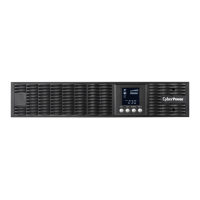
CyberPower OLS1000ERT2U
18 pages
Print Icon
To Next Page IconTo Next Page
Loading...
User’s Manual
OLS1000ERT(XL)2U
OLS1500ERT(XL)2U
OLS2000ERT(XL)2U
OLS3000ERT(XL)2U
CyberPower Systems Inc.
www.cpsww.com
K01-C000045-00

Questions and Answers

  • T
    Tracy AndersonAug 12, 2025
    What to do if my CyberPower UPS fails to start up?
    • M
      Michael Vaughan MDAug 12, 2025
      If your CyberPower UPS fails to start, it could be due to high temperature, fan failure, low battery, or EPO being off. Restart the UPS and press the '?' button to view the warning event. Then refer to the solution for the warning.
  • C
    Charles CannonAug 15, 2025
    What does 'BAT Disconnected/ Battery Replace' mean on my CyberPower UPS?
    • J
      javiertylerAug 15, 2025
      If your CyberPower UPS displays 'BAT Disconnected/ Battery Replace', it indicates a missing battery connection or a failed battery test. If you are using battery packages, check the battery connector.
  • M
    michaeljohnAug 20, 2025
    What to do if my CyberPower OLS1000ERT2U says 'O/P Overload'?
    • A
      ajohnsonAug 20, 2025
      If your CyberPower UPS displays an 'O/P Overload' message, it means the connected equipment is drawing more power than the UPS can supply. To resolve this, turn off non-essential equipment. If this action solves the problem, the UPS will return to normal operation.
  • C
    Christian GarciaAug 23, 2025
    What to do if my CyberPower OLS1000ERT2U displays 'Over Temperature'?
    • M
      Michael FriedmanAug 23, 2025
      If your CyberPower UPS shows an 'Over Temperature' warning, it indicates a high ambient temperature. Shut down the UPS. Restart the UPS to check if the fan is operating and ensure that the ventilation holes are not covered.
  • R
    Renee RamirezAug 27, 2025
    What to do if my CyberPower OLS1000ERT2U UPS has 'Output Short'?
    • J
      james80Aug 27, 2025
      If your CyberPower UPS indicates an 'Output Short', it means there is a short circuit in the output. Shut down the UPS. The attached equipment may have problems, please remove them and check again.
  • T
    Timothy BowenAug 31, 2025
    What does 'EPO OFF' mean on my CyberPower OLS1000ERT2U UPS?
    • K
      Kristin TorresAug 31, 2025
      If your CyberPower UPS displays 'EPO OFF', it means the EPO (Emergency Power Off) connection is missing. Check the EPO connection.
  • S
    Sarah Arnold PhDSep 3, 2025
    What does 'Charger Failure' mean on my CyberPower OLS1000ERT2U?
    • H
      Hunter BrooksSep 3, 2025
      If your CyberPower UPS displays 'Charger Failure', it indicates that the charger has failed. Shut down the UPS and turn off the AC input.
  • T
    tatejenniferSep 7, 2025
    What does 'High O/P V' mean on my CyberPower OLS1000ERT2U UPS?
    • D
      Daniel BarnesSep 7, 2025
      If your CyberPower UPS displays 'High O/P V', it indicates that the output voltage is too high. Shut down the UPS.

Summary

Important Safety Instructions

Hardware Installation

Rackmount Installation

Steps for attaching rackmount ears and installing rackmount rails for UPS mounting.

Vertical;Tower Installation

Instructions for rotating the LCD module, attaching base stands, and using dust covers for vertical orientation.

Electrical Installation

Installing Your UPS System

Hardware Installation Guide

Steps for UPS installation covering battery charging, connections, and initial operation.

Maintenance

Battery Installation and Replacement

Step-by-step instructions for replacing the UPS batteries.

Trouble Shooting

Troubleshooting Warnings

Common warning issues like overload, battery mode, and low battery, with their causes and solutions.

Troubleshooting Faults

Fault conditions such as over temperature, output short, and voltage issues with resolution steps.

CyberPower OLS1000ERT2U Specifications

General IconGeneral
BrandCyberPower
ModelOLS1000ERT2U
CategoryUPS
LanguageEnglish

Related product manuals