PowerPanel
TM
Business Edition
9
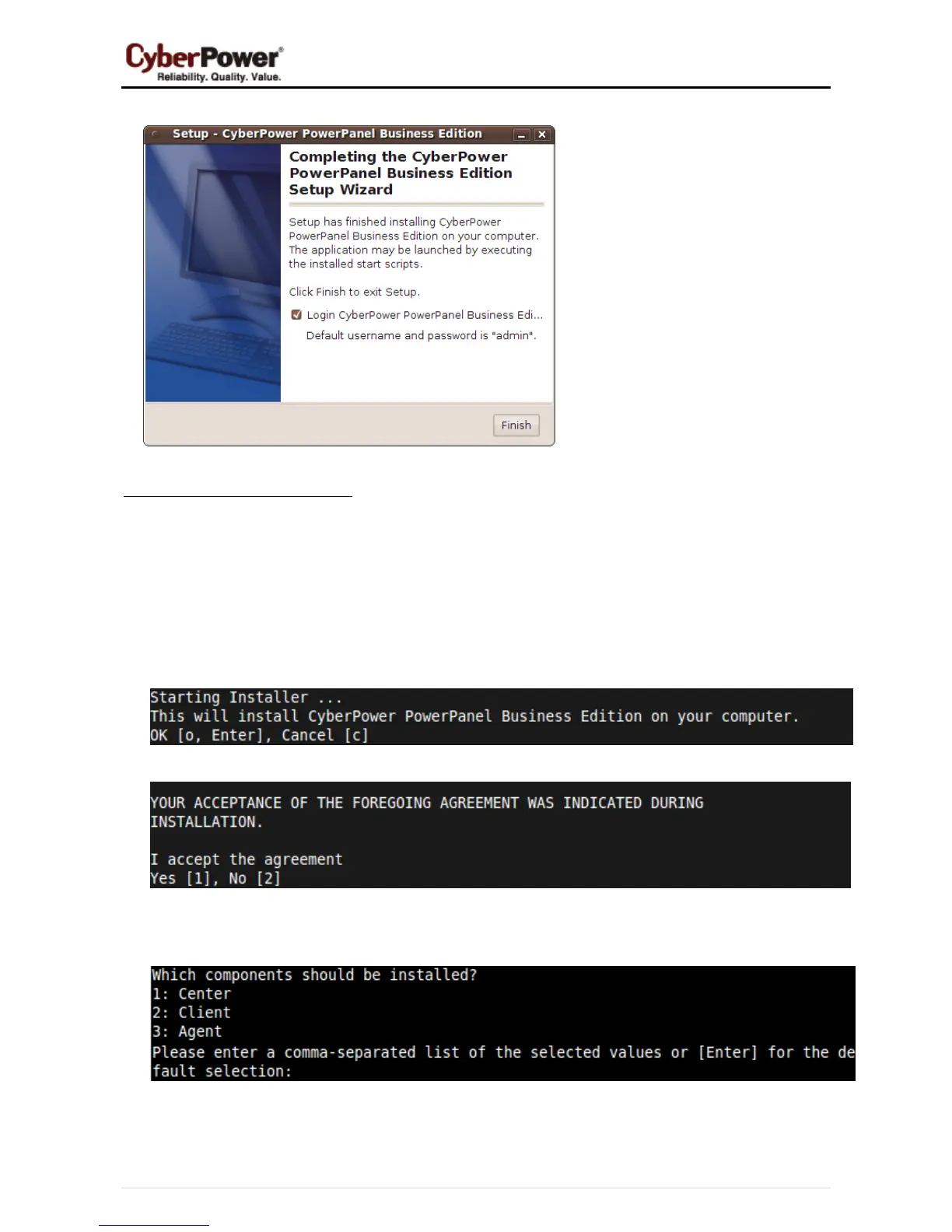
z Click the Finish button to complete the installation.
Installation on Text Mode
When the system does not support graphic mode, the Linux installation needs to be initiated in the terminal by
using the ./ppbe-linux-x86.sh -c command on 32-bit systems or use ./ppbe-linux-x86_64.sh -c command
on 64-bit systems.
The installation procedure will be initiated as following steps:
z Press Enter to start an installation.
z Accept the license agreement.
z Choose the component. In order to monitor multiple UPS units simultaneously, Center should be
installed. If one single computer is powered by the UPS, Client should be installed.
z Choose the destination directory.



 To Next Page
 Loading...