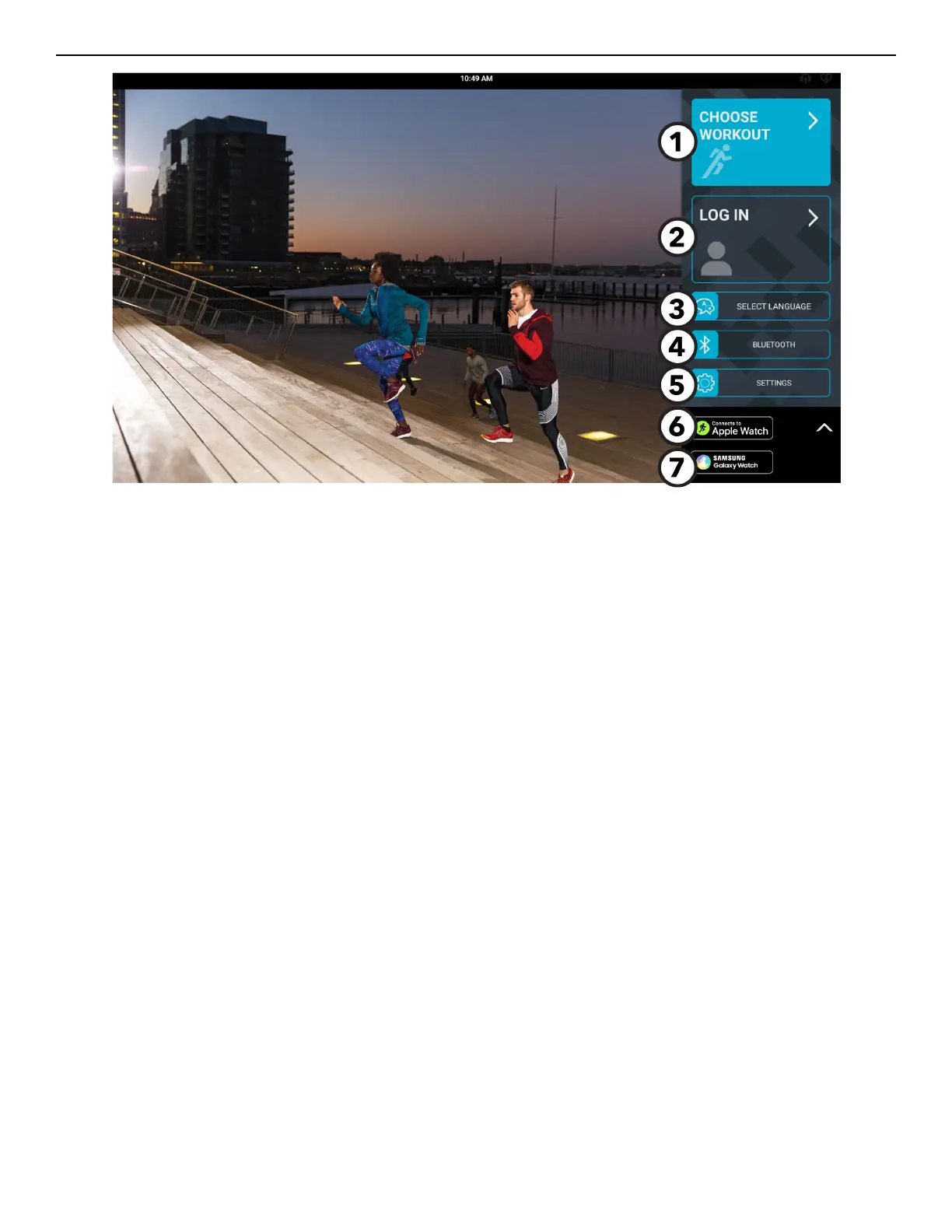
Touch Screen Overview
1. Choose Workout: Select a workout from the following categories:
• Interactive Terrains
• Standard Goals
• Fitness Tests
• Quick Start
2. Log In: Press to log in to your LFconnect or Halo account.
3. Language: Select a language to use during a workout.
4. Bluetooth
®
: Scan for Bluetooth enabled headphones or Heart Rate devices.
5. Settings: Press to enter your weight or change your units (imperial or metric).
6. Connects to Apple Watch
®
: Press to learn more about connecting your Apple Watch device.
7. Samsung Galaxy Watch:
®
Press to learn more about connecting your Samsung Galaxy Watch device.
Page 16 of 80


 To Next Page