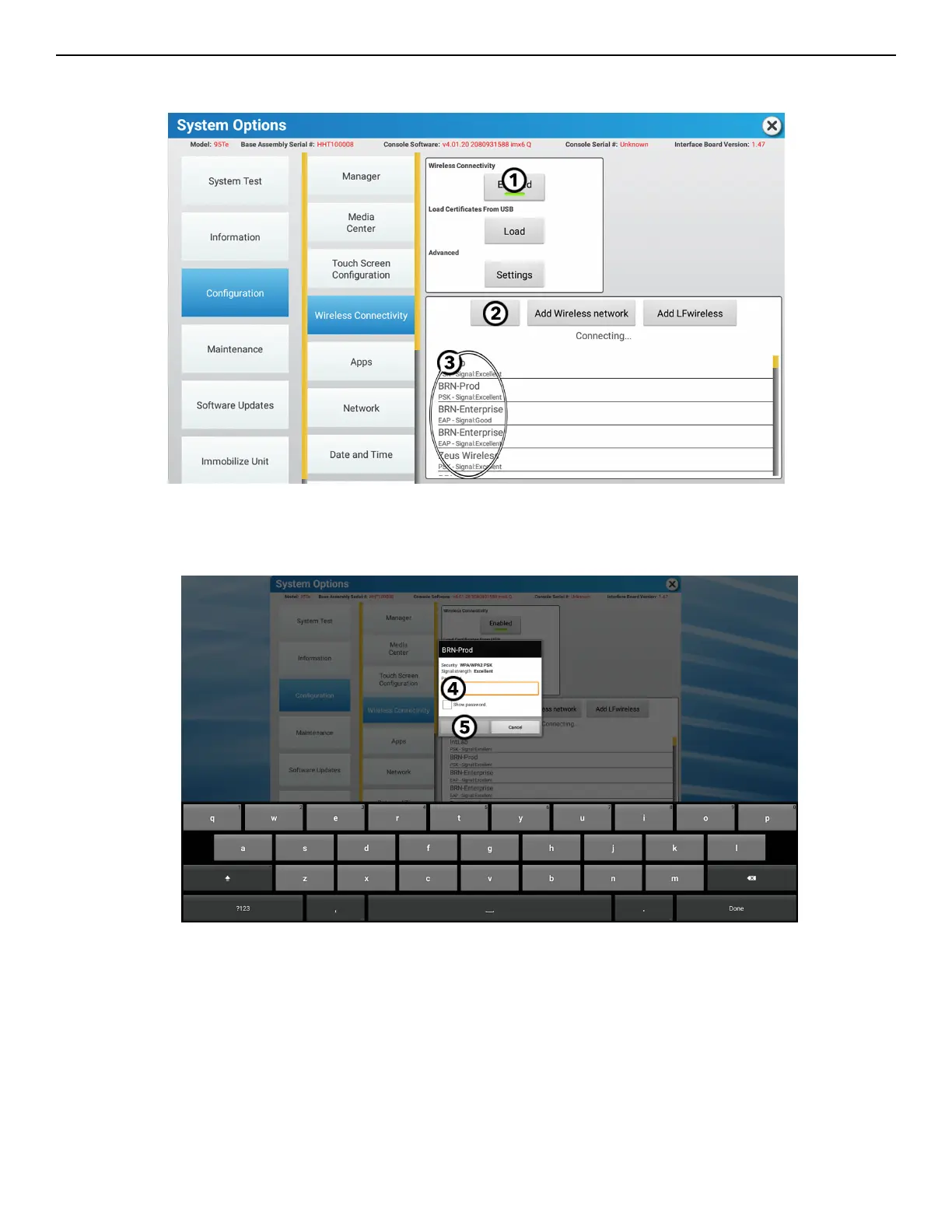
Wireless Connectivity
NOTE: If your equipment is connected to the internet with an Ethernet cable, please see the Ethernet section in the Configuration
Menu.
1. Press Enable/Disable to activate or deactivate wireless abilities.
2. Press Scan to scan for wireless networks in your area.
3. Find and select your wireless router by pressing on the screen.
4. Enter your wireless router's password.
5. Press Confirm to establish a connection to your wireless router.
Page 72 of 80


 To Next Page