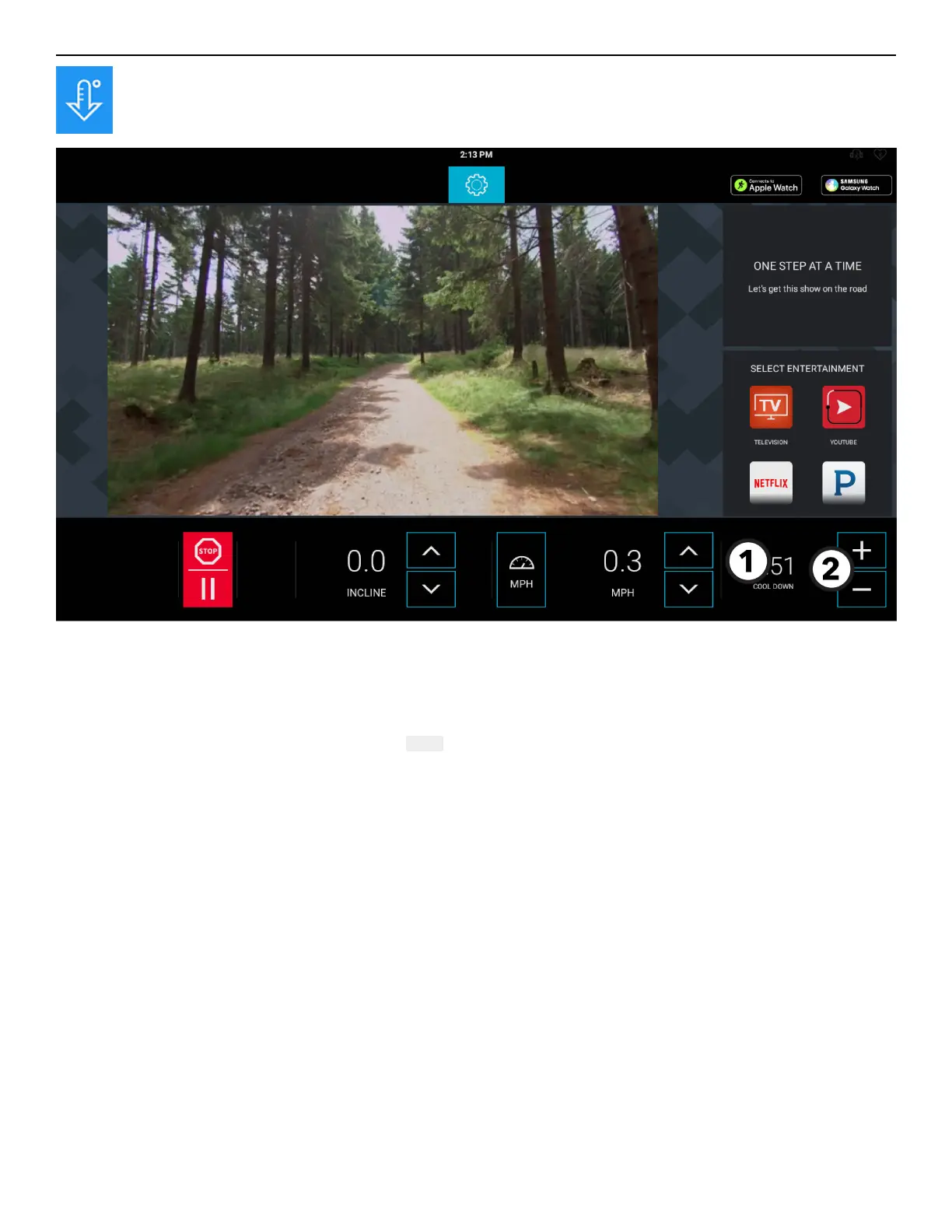
Cool Down Screen
Press the Cool Down button anytime during a workout to start a Cool Down mode (displayed).
1. Time Display
• Time will change to Cool Down when the Cool Down mode is entered.
• The time display initially shows the amount of time in minutes that a specific workout is required to be in Cool Down mode.
• The time display will countdown until it reaches 0:00.
2. Increase / Decrease Time
• Press - to decrease the cool down time by 1-minute intervals.
• Press + to increase the cool down time by 1-minute intervals.
Page 42 of 80


 To Next Page