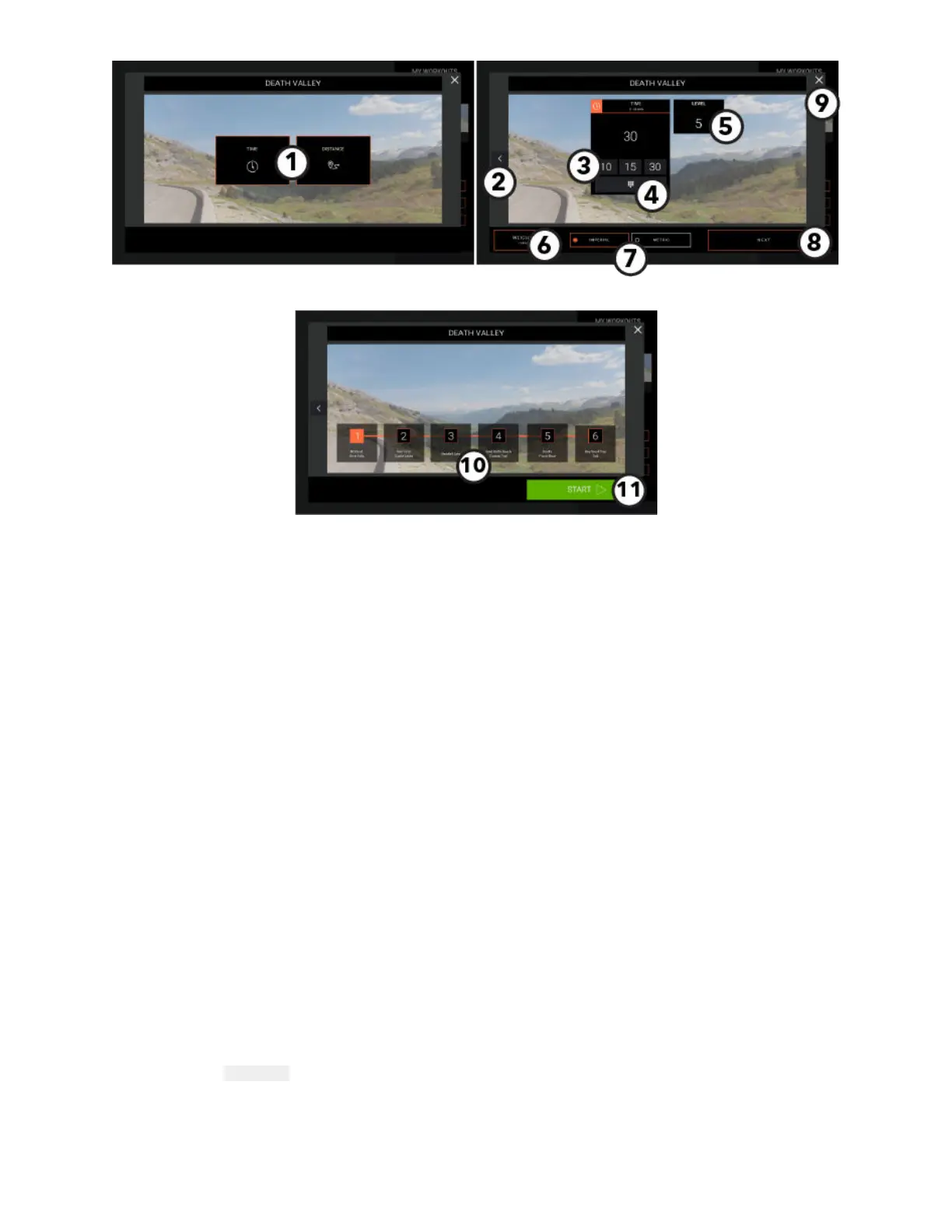
Workout Setup - Interactive Terrains
1. Choose Goal
• Time
• Distance
2. Back Arrow
Press to return to previous screen.
3. Preset Time Values
Choose from default values.
4. Time Keypad
Press to use a numeric keypad to input a workout time value.
5. Level (if applicable)
Press to choose a preset level or input a level value.
6. Enter Weight
Press to use a numeric keypad to input a weight value.
7. Choose Measurement Unit
• Metric
• Imperial
8. Next
Press to go to the next setup screen.
9. Exit the Setup Screen and return to the Interactive Terrains Workout Selection Screen.
10. Course Markers
Choose a starting point for the course.
11. Start Interactive Terrain
A workout countdown 3, 2, 1 screen appears and then the course begins.
Page 19 of 80


 To Next Page