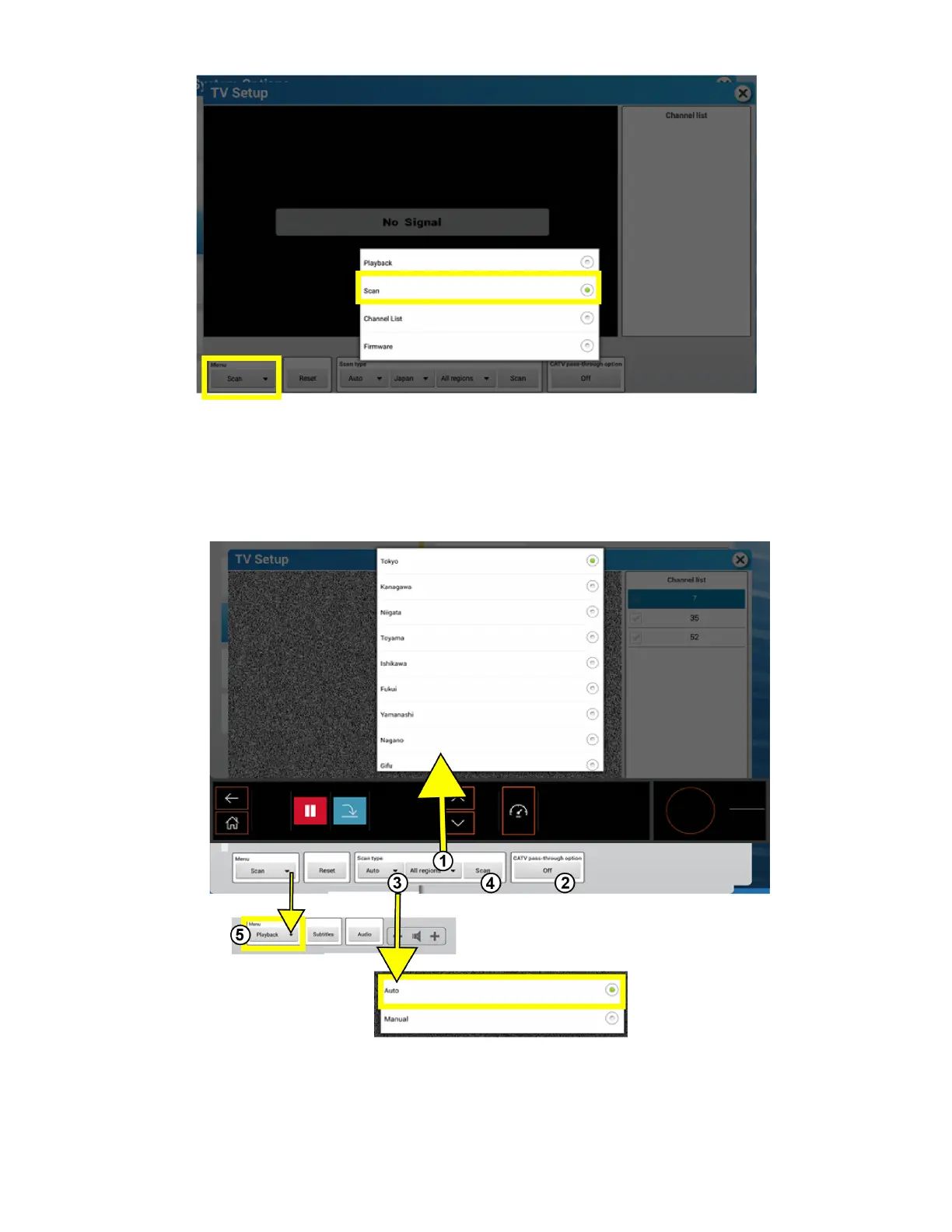
TV Channel Scan for ISDB-T Tuner
Select Scan from the TV Setup Menu options.
1. Select All Regions to pull up a list of regions. Choose applicable region.
2. Set the CATV Pass Through Option to OFF.
3. Choose Auto for Scan Type selection.
4. Press Scan to start scanning for channels.
5. Choose Playback from Menu options to view the video.
NOTE: If the tuner doesn't pick up channels, set the CATV Pass Through Option to ON and rescan for channels.
Page 54 of 80


 To Next Page