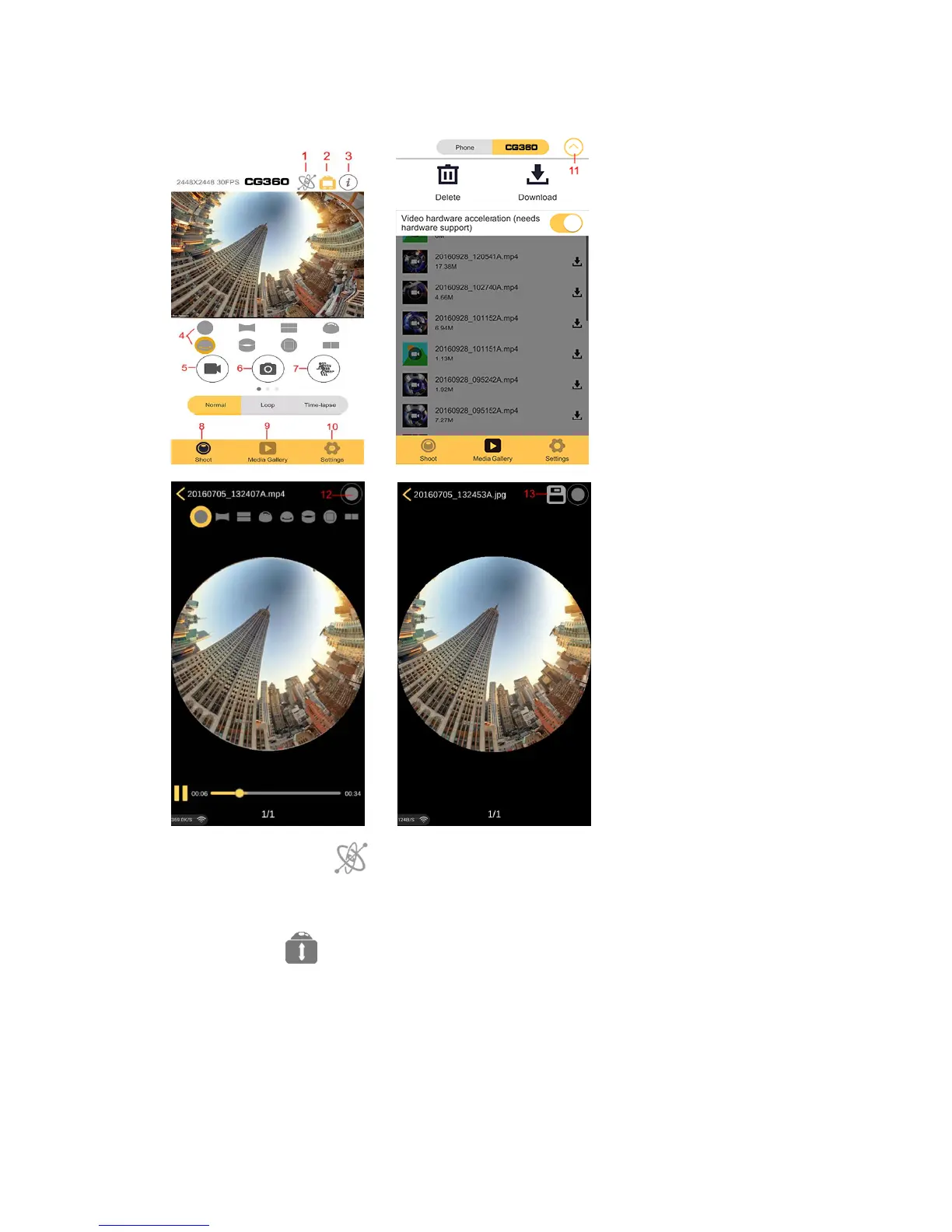
CG360 Application Interface
1. Gyroscope Mode: The gyroscope function is used to determine the phone
position using gyroscope data; you can toggle this on/off to change the viewing
experience.
2.Invert Mode: The picture will be rotated 180 degrees; you can toggle this
on/off to change the viewing experience.
3.Application version
4.Image special effects
5.Video icon: click it to start/stop recording.
6.Picture icon: click it to take pictures.
7.Slow motion icon: click it to start/stop slow motion recording.


 To Next Page