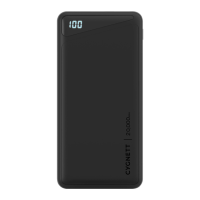
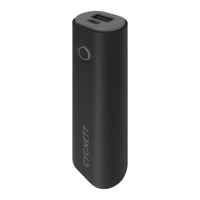
A - Power button
B - LED Charge Indicator
C - USB-C (60W-PD)
D - USB-C (12W)
E - USB-A (12W)
Product Specifications
Capacity: 27,000mAh/99.9Wh, Lithium Polymer Battery,
Dimensions: 181x104x22.3mm
USB-C input:
5V3A, 14.5V2A, 20V1.5A (30W)
USB-C Output 1:
5V3A, 9V3A, 12V3A, 14.5V3A, 20V3A (60W)
USB-C Output 2:
5V2.4A (12W)
USB-A Output 1:
5V2.4A (12W)
Total Output: 72W (Max)
Minimum operating temperature: 25°C
Maximum operating temperature: 40°C
B
A
E
D
C
How to recharge your ChargeUp Pro
To recharge your ChargeUp Pro, connect it to a USB power source using the included
USB-A to USB-C cable, using the USB-C (60W-PD) port on the power bank (C). Please
note the USB-C (12W) port (D) does not support recharging of the power bank. For the
fastest charging speed, you should use a USB-C power adapter with a 30W or higher
USB-PD output, and a USB-C to USB-C cable (not included). When the ChargeUp Pro
is recharging the Blue LED charge indicator (B) will flash, whilst showing the current
charge level. When recharging from a USB-PD power source the green LED light (B)
will also illuminate.
How to charge your USB-C Devices
To charge your USB-C compatible Notebook, tablet, or smartphone, you must use the
USB-C (60W-PD) output (E) on the Powerbank in combination with a USB-C to USB-C
cable (not included). Once your device is connected to the ChargeUp Pro, it will begin to
charge automatically. The blue LED indicator (B) will stay illuminated whilst charging
(indicating the remaining battery level, and the Green LED (B) will illuminate when
USB-PD fast charge mode is activated.
**Important Note**
When charging USB-C laptops you must use the port marked USB-C (60W-PD). Not all
USB-C laptops are able to be charged by the ChargeUp Pro, as they may require more
than 60W to charge. Also, many laptops have USB-C ports that do not support power
input. Please see our website www.cygnett.com for the latest compatibility list.
The following devices will charge faster from the USB-C (60W-PD) port. iPhone 8*,
iPhone 8 Plus*, iPhone X*, iPad Pro 10.5*, iPad Pro 12.9*, Galaxy S9, Galaxy S9+,
Galaxy Note 8/9, Nintendo Switch.
*requires a USB-C to Lightning cable
How to charge all other USB-A Devices
All other devices such as smartphones and tablets can be connected to the USB-A port
(E) on the ChargeUp Pro, using your devices USB charging cable. Once your device is
connected to the ChargeUp Pro, press the power button to begin charging. The blue
LED indicator (B) will stay illuminated whilst your device is charging.
LED Charge indicator
Battery Level
To check your ChargeUp Pro’s remaining charge, press the power button (A) once, and
the 1-4 blue LED lights will illuminate indicating the remaining power. When the power
bank is recharging the one blue light will flash. PD Fast charge When PD fast charging is
active a green light will illuminate.
Caution
Risk of explosion if battery is replaced by an incorrect type. Dispose of used batteries
according to the instructions.
Warning
Do not store cable with both connectors plugged into powerbank as this may short circuit
powerbank and stop it from working.
ChargeUp Pro 27K
27,000 mAh Portable Powerbank

 Need help?
 General

 To Next Page