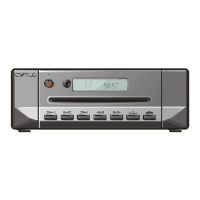
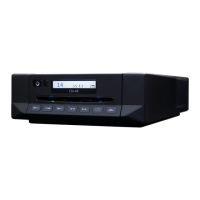
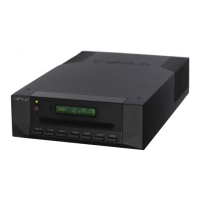
CYRUS CD6s FAULT FINDING/DISASSEMBLY
© Cyrus Audio Ltd Nov 2006 8 Cyrus CD6s Service Manual Issue2
CAUTION! LIVE MAINS VOLTAGES!
When undertaking any work on the CD6s, engineers should observe that exposed live mains
voltages exist on the PCB attached to the mains inlet socket. For safety, this area must be
securely insulated with insulation tape during all repair work.
Disc will not read
If the disc will not read, check first the power supplies to the servo PCB at pins +9VM, +5VCD
on connector CD502 of the servo PCB. If the power supplies are working correctly, remove the
loader and substitute the laser pickup with a new replacement unit. If the disc will still not read,
substitute with a new servo PCB.
CAUTION! When disconnecting the flexfoil cable from the laser pickup to the servo PCB,
always ensure that static precautions are taken with a grounded static mat and wrist-strap as the
laser pickup can easily be damaged by relatively low levels of static. When the disc reading
mechanism or laser pickup are removed from the chassis, it is preferable to fit a flexfoil and use
a metal paper clip or similar to bridge all open connections as static protection when handling
the pickup.
Removing the loading mechanism and laser pickup
Eject the disc drawer and disconnect the power. Turn the player upside down and remove the
front drawer trim by applying gentle pressure to the underside with your thumbs, whilst
supporting the drawer with your index fingers.
Gently push the loading tray back into the loading mechanism. In a static safe environment,
disconnect the flex foil from the CD loader to the servo PCB at the loader end. Remove the 4
screws securing the servo PCB brackets to the chassis and lift the PCB clear of the chassis. Now
disconnect the two wire connectors marked CD902 and CD903 from the servo PCB. Remove
the two screws securing the loader clamp to the loader subframe and slide the mechanism up
and out of the chassis from the rear of the player. The laser pickup may now be replaced in the
loader if required.
When refitting the loading mechanism, pay particular caution to the following points. Ensure
that the multi-coloured cables from connectors CD902 and CD903 are dressed clear of the
moving part of the CD loading tray which runs under the servo PCB. Ensure that the blue
grounding cable from the servo PCB is fixed securely under one of the screws fixing the servo
PCB bracket to the chassis. After a successful repair and when re-fitting the trim to the loading
tray, heatstake the sides of the trim to the tray with a soldering iron and use a small dot of
superglue at each side to lock it permanently in place. The trim should not be refitted until repair
work is complete, in case it may be necessary to remove it again.
Removing the front panel PCB
If a fault is diagnosed which requires the removal of the front panel PCB, proceed as follows.
First, following the instructions above, remove the loading mechanism. Now disconnect the
flexfoil running to the front panel PCB. Note that a small cable stay is screwed to the front of
the chassis to hold the flexfoil clear of the loading tray when it moves. Finally, the complete
front panel assembly including display PCB may now be pressed forward out of the front of the
chassis. Remove the fixing screws and the front panel PCB may now be lifted off the front panel


 To Next Page