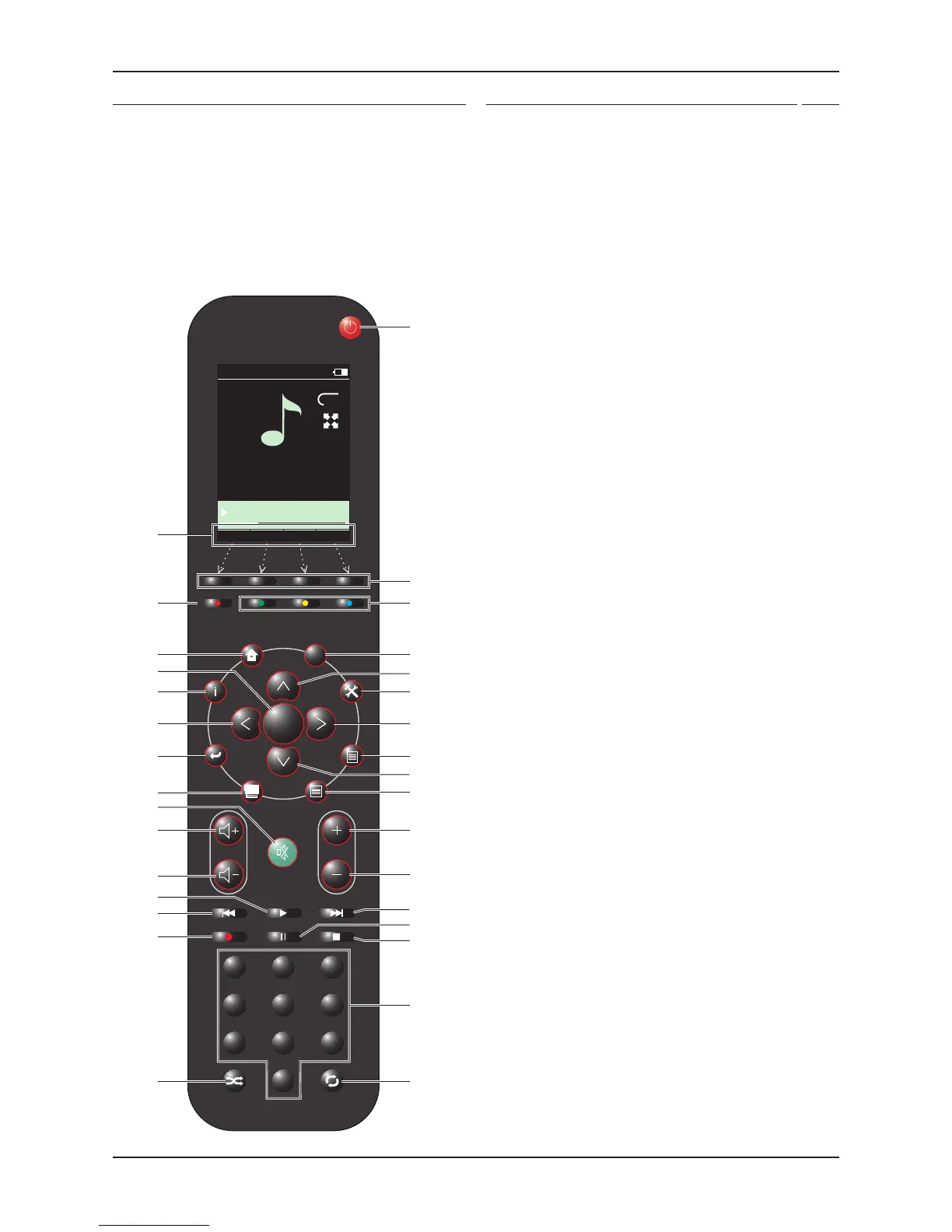
n-remote functions when operating a Streamline
2
Standby button - switches a Streamline1.
2
to and from Standby.
Hot-Keys - these can be programmed to select devices controllable 2.
by the n-remote, for instance a Streamline
2
and a Cyrus system plus
TV.
No function with Streamline3.
2
.
Zone select - selects a zone if the n-remote is set to control multiple 4.
zones.
Up cursor - navigates up a menu list on the display, also browses 5.
alphanumeric characters when renaming etc. Hold the button to
browse faster.
Settings - opens the n-remote settings menu.6.
Right cursor - navigates to the right.7.
No function with Streamline8.
2
.
Down cursor - navigates down a menu list on the display, also 9.
browses alphanumeric characters when renaming etc. Hold the
button to browse faster.
No function with Streamline10.
2
.
No function with Streamline11.
2
.
No function with Streamline12.
2
.
Next track - selects the next track when playing music. 13.
Skips forward a page when browsing a list.
Pause - pauses music play.14.
Stop - Stops music play.15.
Numeric keypad - enters track numbers or alphanumeric data for 16.
renaming etc.
Repeat button - selects repeat modes (only when supported by the 17.
server or connected device).
Shuffle button - selects shuffle/random modes. Also changes the 18.
character set during alphanumeric entry.
No function with Streamline19.
2
.
Previous track - selects the previous track when playing music.20.
Skips back a page when browsing a list.
Play - plays the selection highlighted on the display.21.
Volume down - decreases the volume level.22.
Volume up - increases the volume level.23.
Mute - mutes the audio.24.
No function with Streamline25.
2
.
Back - moves back one step when navigating a menu.26.
Left cursor - navigates to the left.27.
Information - displays additional information about the track playing.28.
Enter - selects highlighted menu options.29.
Home - displays the Home Menu.30.
Display off.31.
Hot-Key display legends - the legends for the Hot-Keys are displayed 32.
here.
n-remote features
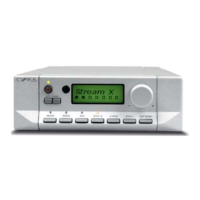
The Streamline
2
is partnered with the n-remote wireless remote control.
The features of the remote control are -
Wireless remote control of all Streamline•
2
functions.
Large format, backlit text/graphic display.•
Motion-sensing standby - the display will switch on automatically if •
you lift the remote control or press a button
Re-chargeable operation with a charging dock.•
Infra-red remote control of a Cyrus stereo system.•
Infra-red programming function to control non-Cyrus equipment.•


 To Next Page