VII. Firmware Upgrade
7.1 Online firmware upgrade
(Only compatible with DJI Matrice 300 RTK when used with DJI
remote controller with a built-in screen,before upgrading, ensure
that there is no TF in the device.)
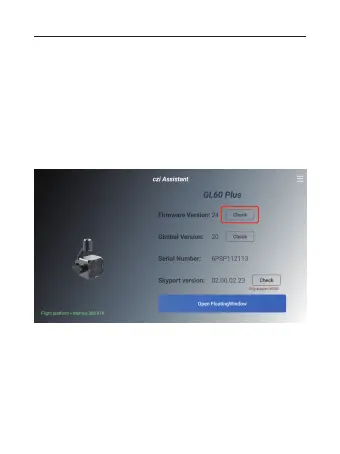
1) When mounting the GL60 Plus on the DJI Matrice 300, after
powering up, ensure that the DJI remote controller with a
built-in screen is already connected to Wi-Fi or a hotspot. Open
the czi Assistant software on the DJI remote controller, confirm a
successful registration, and you will be able to view the version
information on the GL60 Plus interface by clicking on“Check”.
01 02 03 04 05 06
07 08 09 10 11 12 13 14
15 16 17 18 19 20 21 22
23 24 25 26 27
28 29 30
31 32 33



 To Next Page