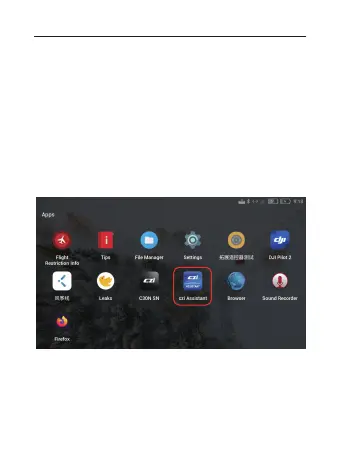
1. Download the czi Assistant and copy it to a USB flash disk, and
install it on DJI remote control. To get the installation package:
① Go to the official website to download czi Assistant and copy it
to your USB flash disk or TF high-speed card.
② Use the czi Assistant installation package already in the TF
high-speed card or flash disk.
2. Click czi Assistant to enter the software interface.
V. czi Assistant installation and use tutorial
01 02 03 04 05 06
07 08 09 10 11 12 13 14
15 16 17 18 19 20 21
22
23 24 25 26 27 28 29 30
31 32 33



 To Next Page