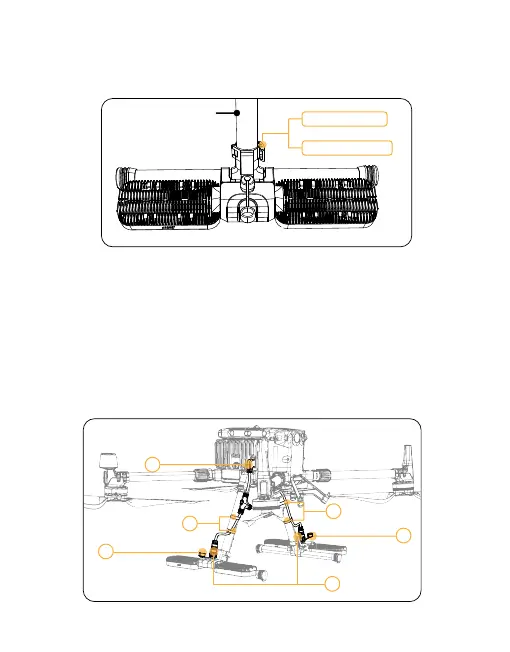
3) Push the opened light clamp forward to the tripod standpipe that is close
to the M350, then close the cover of the lamp clamp, hook the light clamp
cover with the buckle, and finally press the buckle at the end to fasten it, and
complete the installation, as shown in the following figure.
4) Take out the cables configured with the product and insert the end plugs
into the corresponding sockets one by one.
①Plug in the drone end.
② Loosen the plug waterproof cover on the light body.
③ Plug in the light body, tighten the nut clockwise on the socket after it is
plugged in.
④ Arrange the cables on the two support standpipes as shown in the follow-
ing figure, fix the cables with the Velcro that comes with the cable, and
complete the installation, as shown in the following figure.
56
M350 Support
Buckle fastened
Press the buckle
1
2
3
4
2
4



 To Next Page