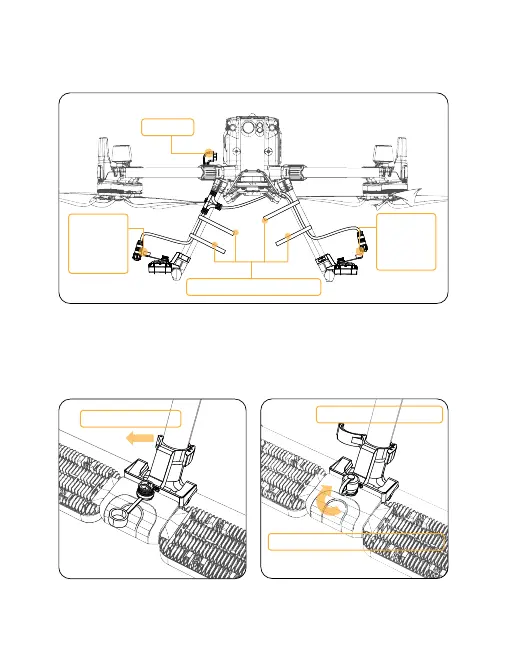
3.3.2 Disassembly
1) Remove the three Velcro strips in turn, then unscrew the plug nuts plugged
into the light counterclockwise, pull out all the plugs in turn, and then
remove the cable, as shown in the following figure.
2) Break the tail of the buckle outward, open the light clamp cover, then
pull the whole light up and take it out, and finally cover with a waterproof
cover on the socket to complete the disassembly, as shown in the following
figure.
57
Break it outward
Open the light clamp
Cover with a waterproof cover
Unplug
Unscrew
the nut
and
unplug
Disassemble the velcro
Unscrew
the nut
and
unplug



 To Next Page