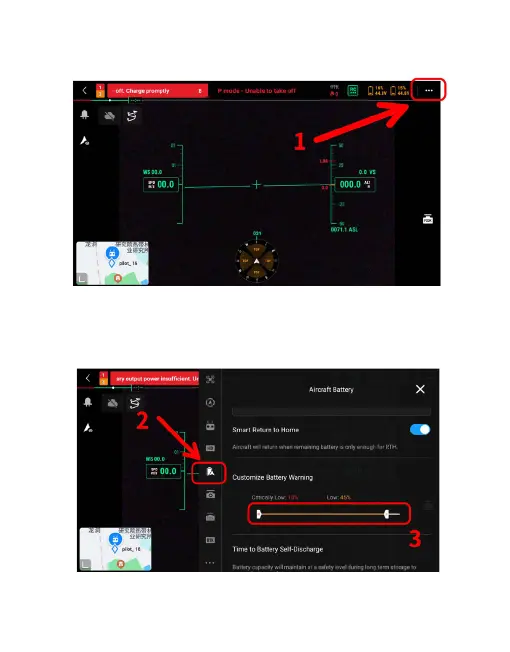
2)Enter “Flight Control Parameter Setting”, as shown in the following
figure.
3)Click on the icon to customize the battery alarm, and it is recommended
to set the low battery value range to 45%. (When the battery level is lower
than 45%, there will be an alarm; the tethering is not in normal working
condition, please descend the UAV as soon as possible)
66



 To Next Page