Need help?
Do you have a question about the Czur Tech ET16 and is the answer not in the manual?
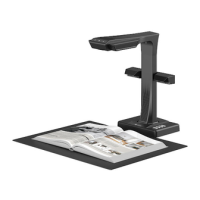
Overview of the Czur scanner as an intelligent device for various users and applications, highlighting its capabilities.
Details the physical appearance and provides precise measurements of the Czur scanner with diagrams.
Step-by-step guide for assembling the Czur scanner, including connecting components and securing them.
Identifies and explains the functions of various parts of the Czur scanner using numbered labels on diagrams.
Lists the technical specifications of the Czur scanner, covering resolution, speed, format, and connectivity options.
Details all items included in the Czur scanner package, such as software, accessories, and documentation.
Instructions for using the Czur scanner connected via USB to a PC, including scanning preparation and function preview.
Guide for operating the Czur scanner as a visual presenter using an HDMI connection, covering preparation and preview.
Instructions for connecting and operating the Czur scanner wirelessly via Wi-Fi, including network setup and scanning.
Procedure for updating the Czur scanner's hardware, detailing preparation steps and the update process.
Steps to reset the Czur scanner to its original factory default settings.
Addresses common issues and provides solutions for operating the Czur scanner in PC mode via USB.
Answers common questions and resolves issues related to the Czur scanner's visual presenter function via HDMI.
Provides solutions for common problems encountered when using the Czur scanner in Wi-Fi mode.
Details the after-sale service policy, warranty coverage, and non-warranty conditions for the Czur scanner.
Explains the procedure for submitting a warranty claim, including initial contact and sending the device for maintenance.
Provides essential contact details for technical support and customer service, including email, web, and addresses.

 To Next Page
 General