6
Version 1.0
Programming the dosing pump
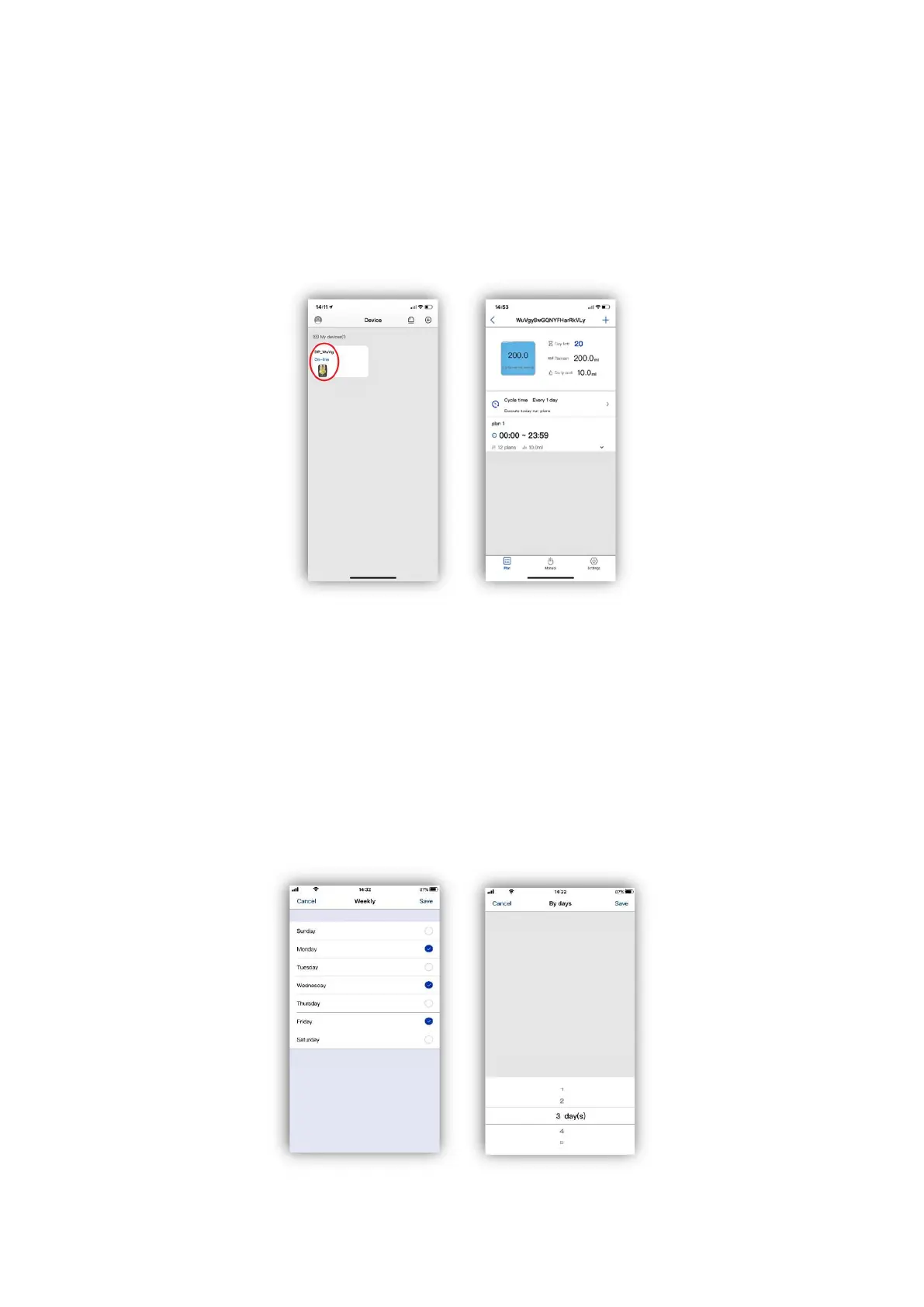
To Program the dosing pump, open the Kamoer Remote app and select the device you want to
program from the available devices list.
With the device selected the main plan page will be displayed.
Setting the dosing plan
Tap on ‘Cycle time’ and choose if you want to set up the schedule dosing frequency ‘By Days’ or
‘Weekly’
‘By Days’ will set the pump to dose every ‘X’ days, e.g. every 3 days. This can be set from every 1 day
to a maximum of every 99 days.
‘Weekly’ will allow you to choose the days of the week that you want to dose, e.g. Monday,
Wednesday and Friday.
When you have chosen the frequency tap ‘Save’ in the top right corner.
www.theaquariumsolution.com


 To Next Page