95D-Link COVR-3902 User Manual
Section 3 - Conguration
Conguration - COVR-1300E
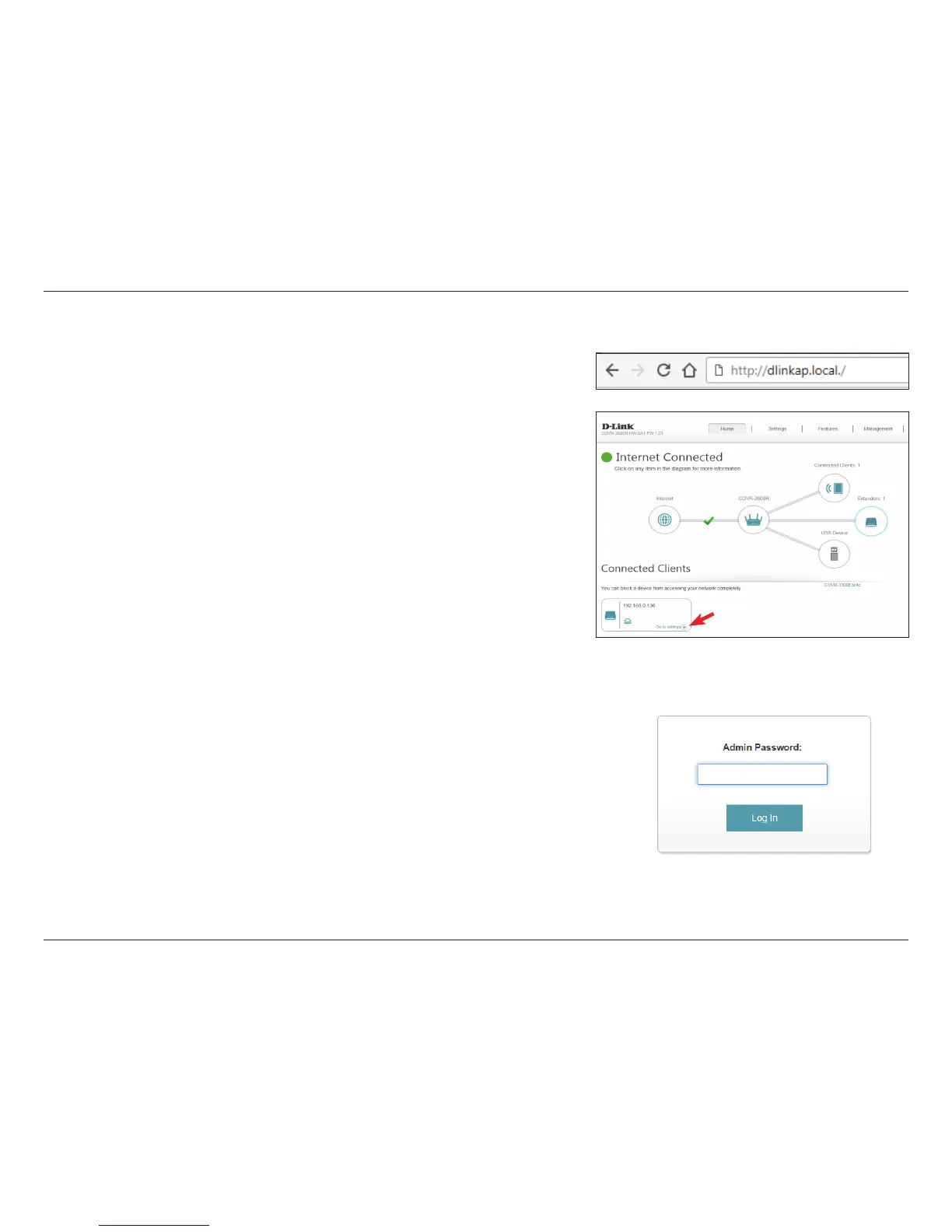
Enter your password. This password is the same password used for accessing
the COVR-2600R conguration utility. If you previously followed the setup
wizard, please use the admin password you entered during the wizard.
Otherwise, leave the password blank. Click Log In to proceed.
Note: If you cannot remember your password and cannot log in, press the reset/
wps button on the back of the device for longer than 10 seconds to restore the
router to its default settings.
To access the COVR-1300E conguration utility, either open a web-browser
such as Internet Explorer and enter http://dlinkap.local./ in the address bar,
or click Go to settings in the client box in the Extenders overview window on
the COVR-2600R web interface home page.


 To Next Page
 Loading...