38D-Link COVR-1102 User Manual
Section 3 - Conguration
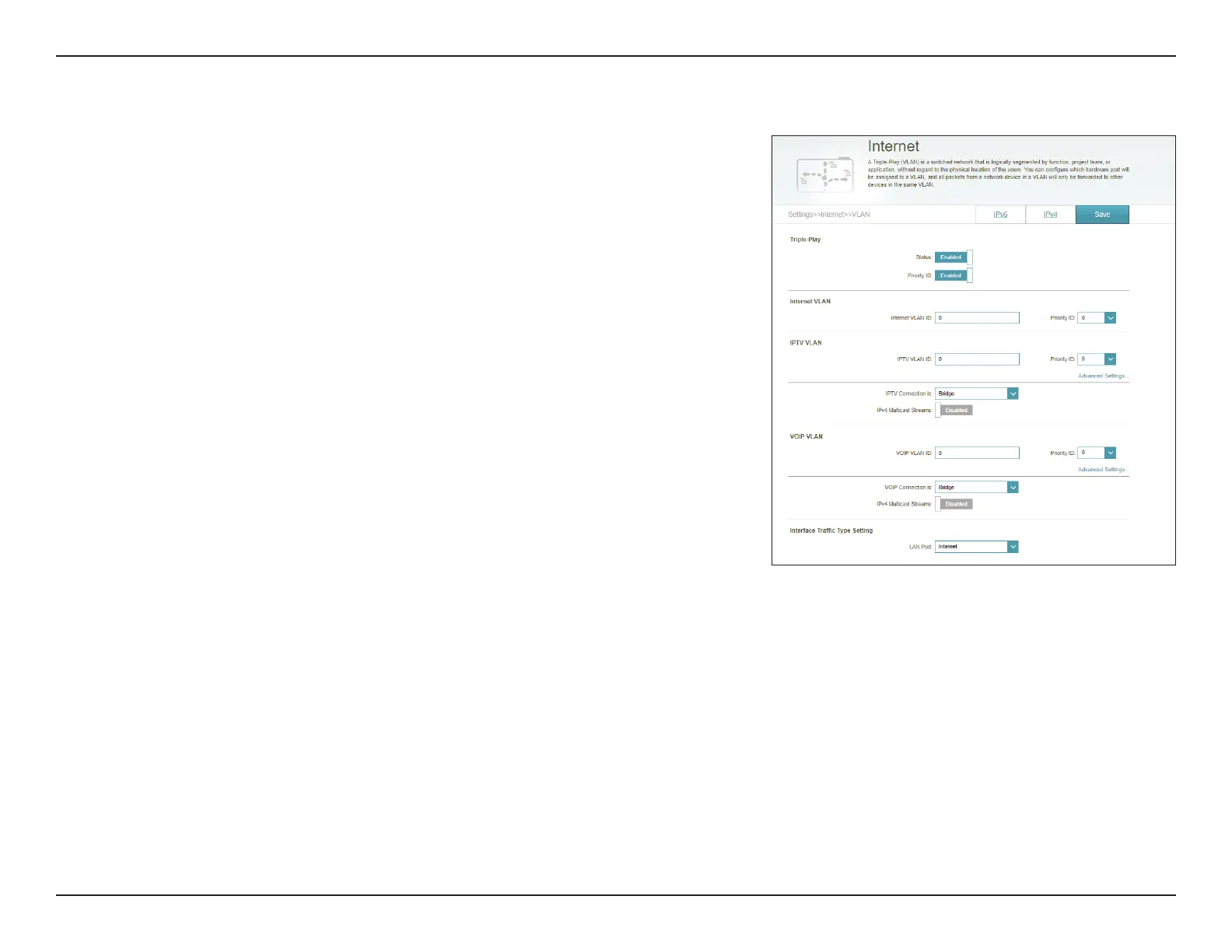
If Priority ID is enabled:
Priority ID: Select a priority ID from the drop-down menu to assign to the
corresponding VLAN.
Interface Trac Type Setting
LAN Port: From the drop-down menu, select the VLAN for the LAN port.
Click Save when you are done.
VLAN (Continued)




 To Next Page