10D-Link DES-1105 User Manual
Section 2 - Installation
Installation
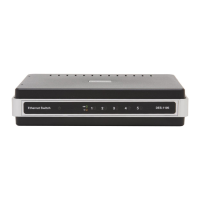
This section will explain how to connect Ethernet devices to your new D-Link switch and how to mount the switch.
Connecting the Switch
PC to DES-1105
A computer can be connected to the DES-1105 via a two-pair Category 3, 4, 5 UTP/STP Straight-Through or Crossover
cable. A computer equipped with a RJ-45 10/100Mbps port can be connected to any of the five DES-1105 ports.
The LED indicators for the PC connection depend on the capability of the computer’s Ethernet card. If the LED indicators
are not lit after making a proper connection, check the computer’s Ethernet card, the cable, and the DES-1105’s
conditions and connections.
Hub/Switch to DES-1105
A hub (10 or 100BASE-TX) can be connected to the DES-1105 via a two-pair Category 3, 4, or 5 UTP/STP Straight-
Through or Crossover cable. For 100Mbps operation a Category 5 cable must be used. The connection is accomplished
from any port of the hub to any port of the DES-1105.
DES-1105 to Other Devices
The DES-1105 can be connected to another switch or other devices (routers, bridges, etc.) via a two-pair Category
3, 4, 5 UTP/STP Straight-Through or Crossover cable. A Category 5 (or higher) cable must be used for 100Mbps
operation. The connection can be accomplished from any (MDI-X) port on the DES-1105 to any of the 10Mbps or
100Mbps (MDI-X) ports on another switch or other devices.





 To Next Page