ENGLISH
7
Product Overview
Setup
The setup of the DGS-1005G can be performed using the following steps:
• Thepoweroutletshouldbewithin1.82meters(6feet)oftheSwitch.
• VisuallyinspecttheDCpowerjackandmakesurethatitisfullysecuredtothepoweradapter.
• DonotcovertheventilationholesonthesidesoftheSwitch,andmakesurethereisadequateventilationaroundit.
• Donotplaceheavyobjectsontheswitch.
Package Contents
Introduction
D-Link Green Ethernet Technology
D-Link Green Ethernet Technology implements special power-saving features under speed at 1000Mbps that detect cable length and link status
and adjust power usage accordingly.
Green Ethernet Technology saves energy in two specic ways:
1. Ifthereisnolinkonaport(whenthereisnoconnectionorthedeviceconnectedisturnedo )theport(s)willentera“sleepmode”
which will drastically reduce the amount of power used.
2. D-Link Green Ethernet Technology detects the length of connected Ethernet cable and adjusts power usage accordingly without
aectingperformance.Thisway,aportconnectedtoa20mcableonlyusesasmuchpowerasitneeds,insteadofusingfullpower,
which is only needed for 100m cables.
WallMountKit
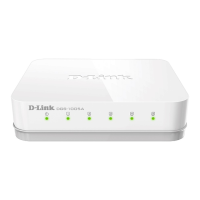
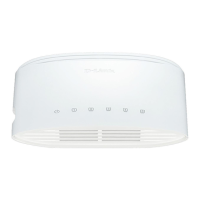
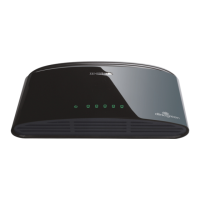
D-Link DGS-1005G 5-port Gigabit Desktop Switch
Power Adapter
Warranty Card
Quick Install Guide


 To Next Page