16
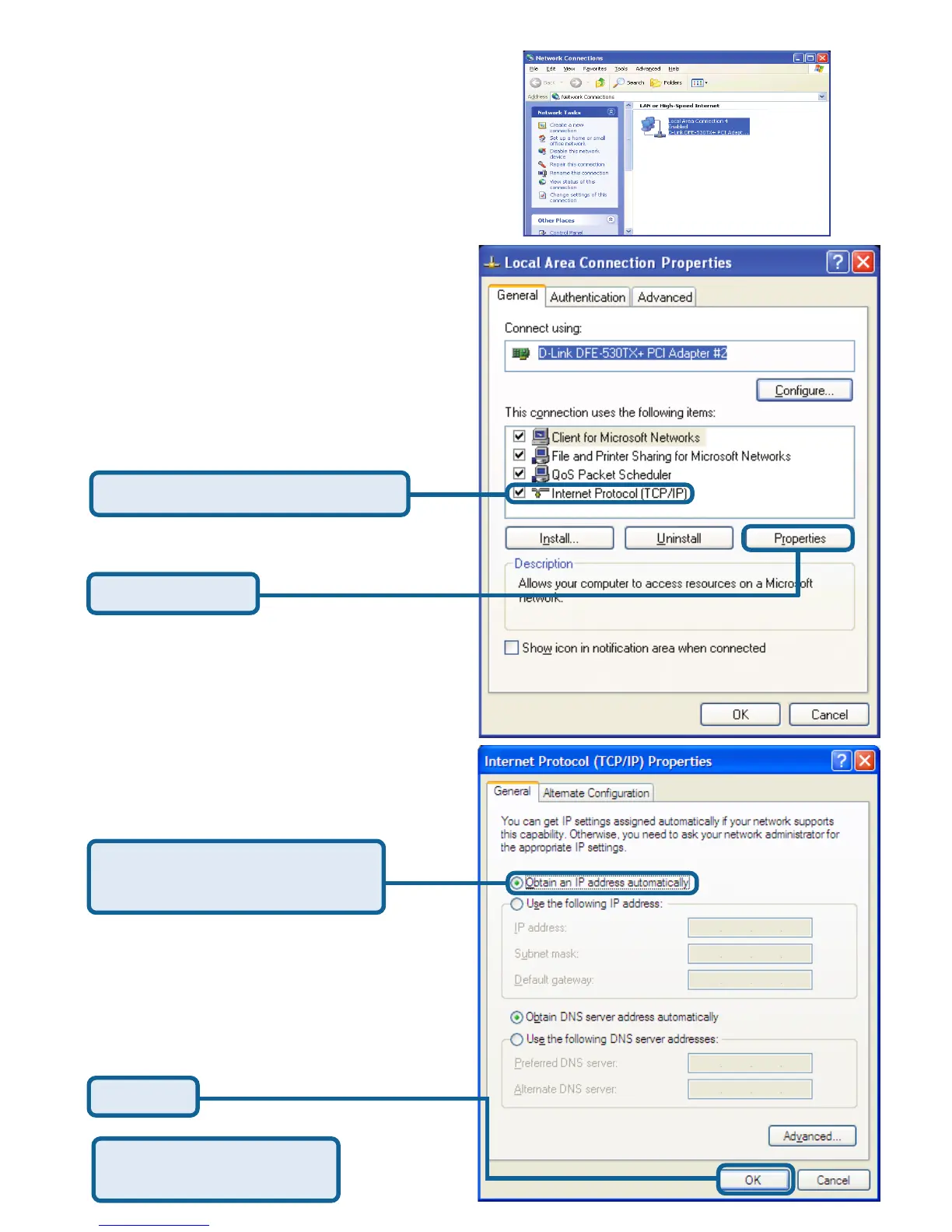
To connect to the network, make sure
the network adapter in your computer
is configured properly. Here’s how to
configure the network adapter to obtain
an IP address automatically for the
DI-614+ Wireless Router.
For Microsoft Windows XP:
Go to Start > right click on
My Network Places >
select Properties > Double-click on
the Network Connection associated
with the Ethernet adapter (i.e.,
D-Link DFE-530TX+).
APPENDIX A
Restart your computer
(if necessary)
Click OK
Select Obtain an IP address
automatically
Click Internet Protocol (TCP/IP)
Click Properties








 To Next Page