18
Troubleshooting
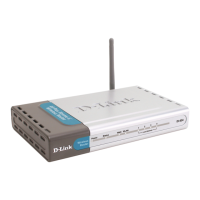
Q1: I cannot connect to the DI-614+.
A: Make sure that the SSID and the Encryption key (if any) on the DWL-650+ Cardbus
Adapter is exactly the same as the SSID and the Encryption key (if any) on the DI-
614+. (Please refer to the manuals on the included CD-ROM for more information on
enabling Encryption and assigning SSIDs.)
Q2: The DWL-650+ Power and Link lights are not on.
A: Check to see if the DWL-650+ Cardbus Adapter is firmly inserted in the Cardbus slot
of your laptop computer.
Q3: I am unable to access the Internet using the DWL-650+.
A1: Check that the LED indicators for the broadband modem are indicating normal
activity. If not, there may be a problem with the broadband connection.
A2: Check that the LED indicators on the DI-614+ are functioning properly. If not, check
that the AC power and Ethernet cables are firmly connected.
A3: Check that the IP address, subnet mask, gateway, and DNS settings are correctly
entered for the DWL-650+ in that specific wireless network.
Q4: I forgot my Encryption key.
A: Reset the DI-614+ to its factory default settings and restore the DWL-650+ Wireless
Cardbus Adapter to the factory default settings.








 To Next Page