15
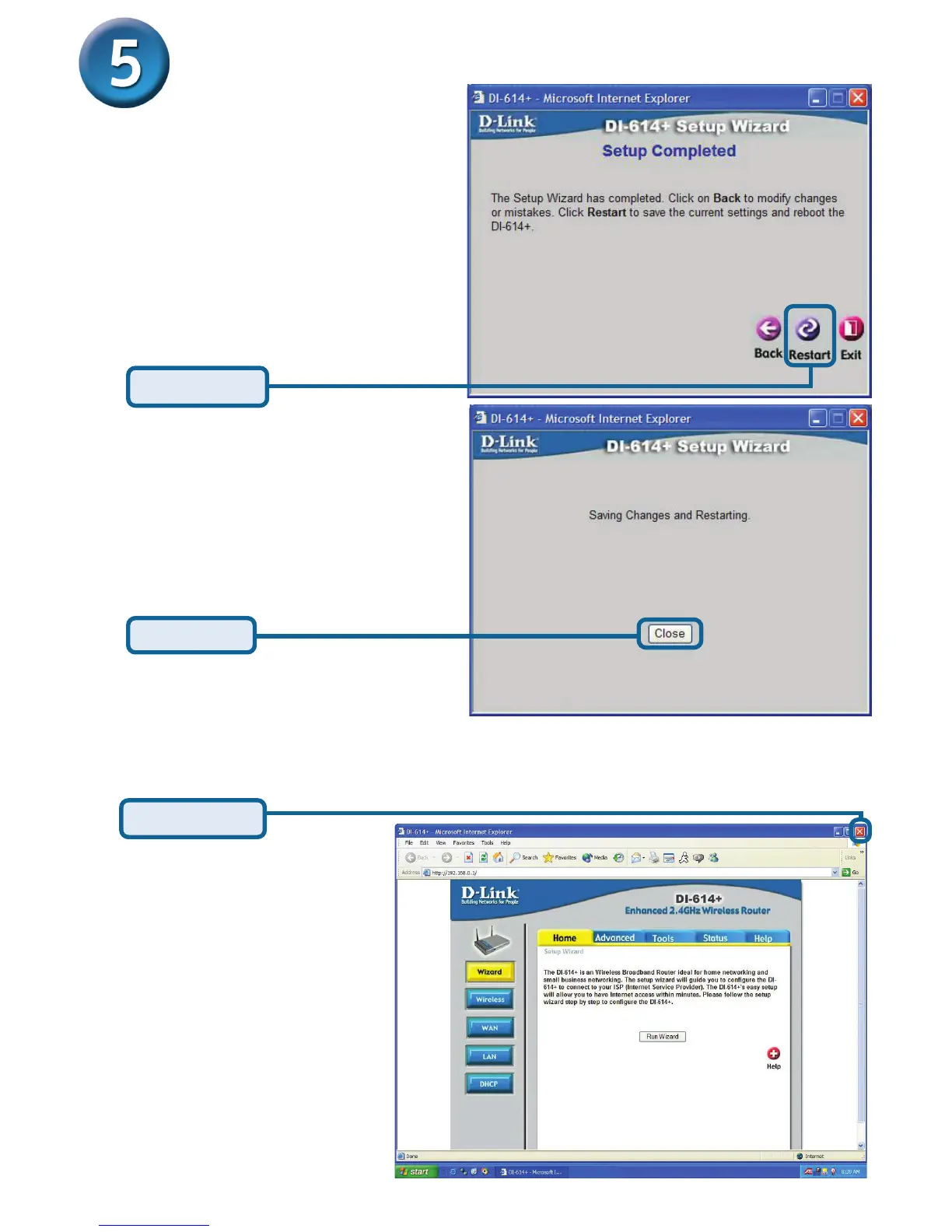
Your Setup is Complete!
Click Restart
Click Close
Test Internet Connection.
You will be returned to the Home tab.
For additional settings or
information, refer to the
Advanced, Tools, or
Status tabs on the web-
management interface; or
to the Manual located on
the CD.
Then relaunch your Web
browser (i.e., Internet
Explorer or Netscape
Navigator), to link to your
favorite Web site to test
your Internet connection.
Click to Exit








 To Next Page