DIR-815 AC1200 Wave 2 MU-MIMO Wi-Fi
Router with 3G/LTE Support and USB Port
User Manual
Configuring via Web-based Interface
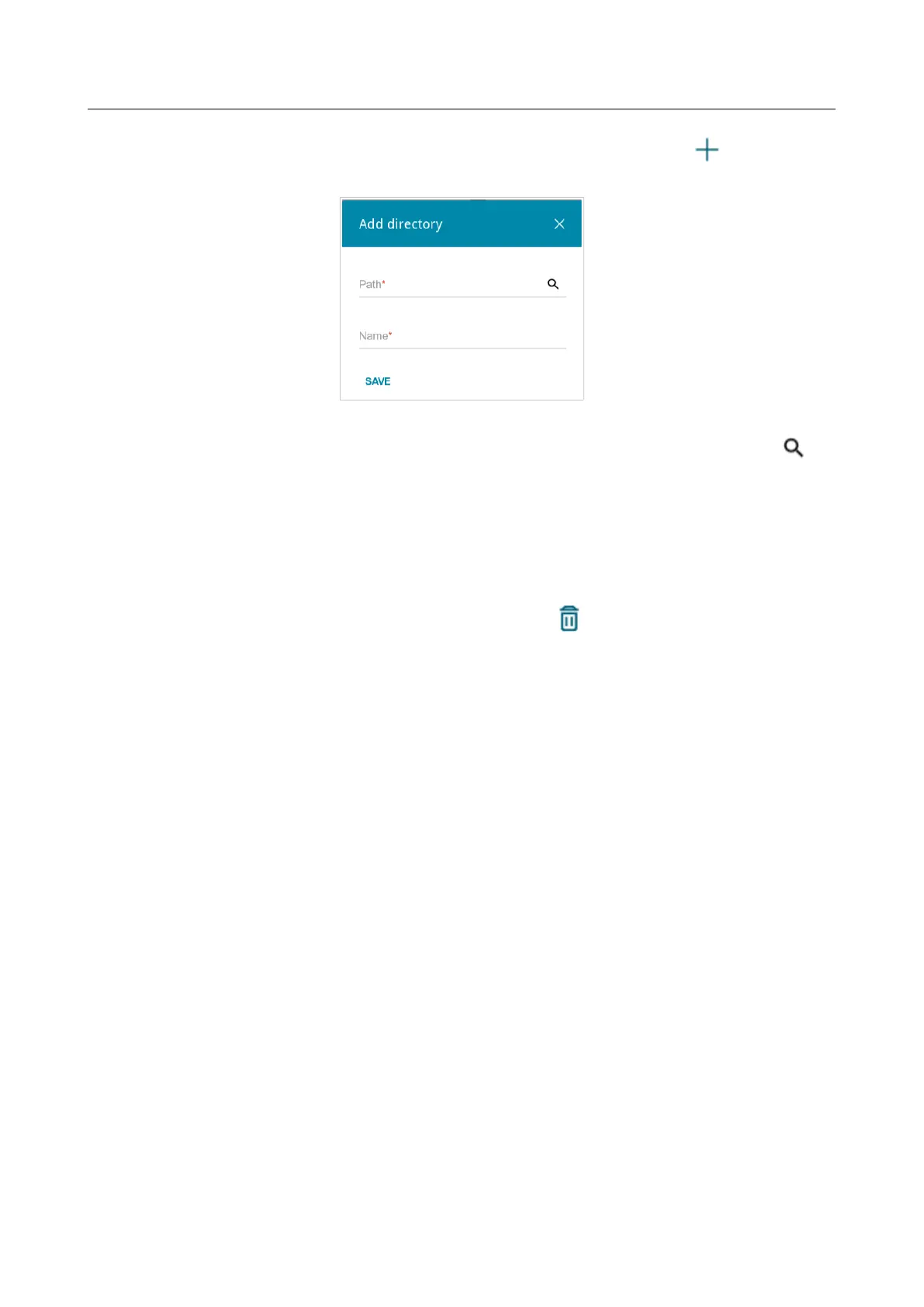
To allow access only to a certain folder of the USB storage, click the ADD ( ) button in the
Directories section.
Figure 120. Specifying a folder.
In the opened window, locate a folder containing files. To do this, click the Search icon ( ) in
the Path field. Then go to the needed folder and click the SELECT button.
In the Name field, specify a name of the selected folder which will be displayed for users of your
LAN. Use digits and/or Latin characters.
Click the SAVE button.
To remove a folder from the list in the Directories section, select the checkbox located to the left
of the relevant line in the table and click the DELETE button ( ).
After specifying the needed parameters, click the APPLY button.
To disable the built-in Samba server of the router, move the Enable Samba server switch to the
left and click the APPLY button.
Page 157 of 240



 To Next Page