DIR-822 AC1200 Wave 2 MU-MIMO Wi-Fi EasyMesh Router
User Manual
Configuring via Web-based Interface
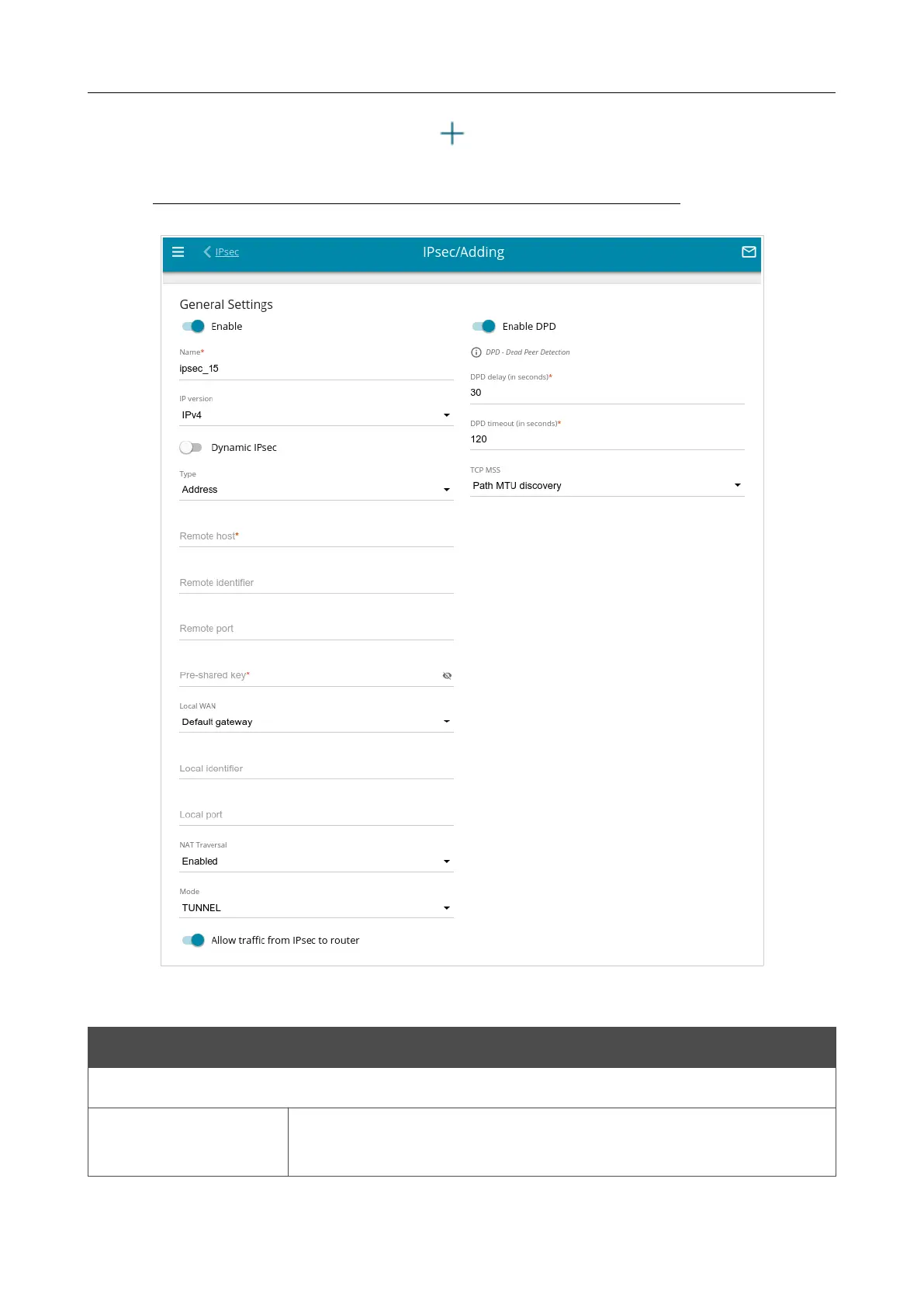
To create a new tunnel, click the ADD button ( ) in the Tunnels section.
!
Setting for both devices which establish the tunnel should be the same.
Figure 133. The page for adding an IPsec tunnel. The General Settings section.
You can specify the following parameters:
Parameter Description
General Settings
Enable
Move the switch to the right to enable the tunnel.
Move the switch to the left to disable the tunnel.
Page 171 of 235



 To Next Page