PRODUCT SETUP
SETUP
SELECT YOUR METHOD
There are two methods available for setting up the DMG-112A. These are: using the D-Link
One-Touch app (recommended) or Wi-Fi Protected Setup (WPS).
SET UP DMG-112A WITH THE D-LINK ONE-TOUCH APP
The DMG-112A can be congured using your smartphone. Search for the "D-Link One-Touch"
in the Apple App Store or Google Play, and download the app.
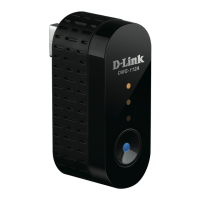
Plug the DMG-112A into a 5V/1A USB power adaptor, then plug
the USB power adaptor into a power outlet and wait until the
blue power LED is on.
NOTE
: To ensure that the DMG-112A receives adequate power,
please only use a 5V/1A USB power adaptor and not other USB
ports such as a desktop USB port for power.


 To Next Page