42
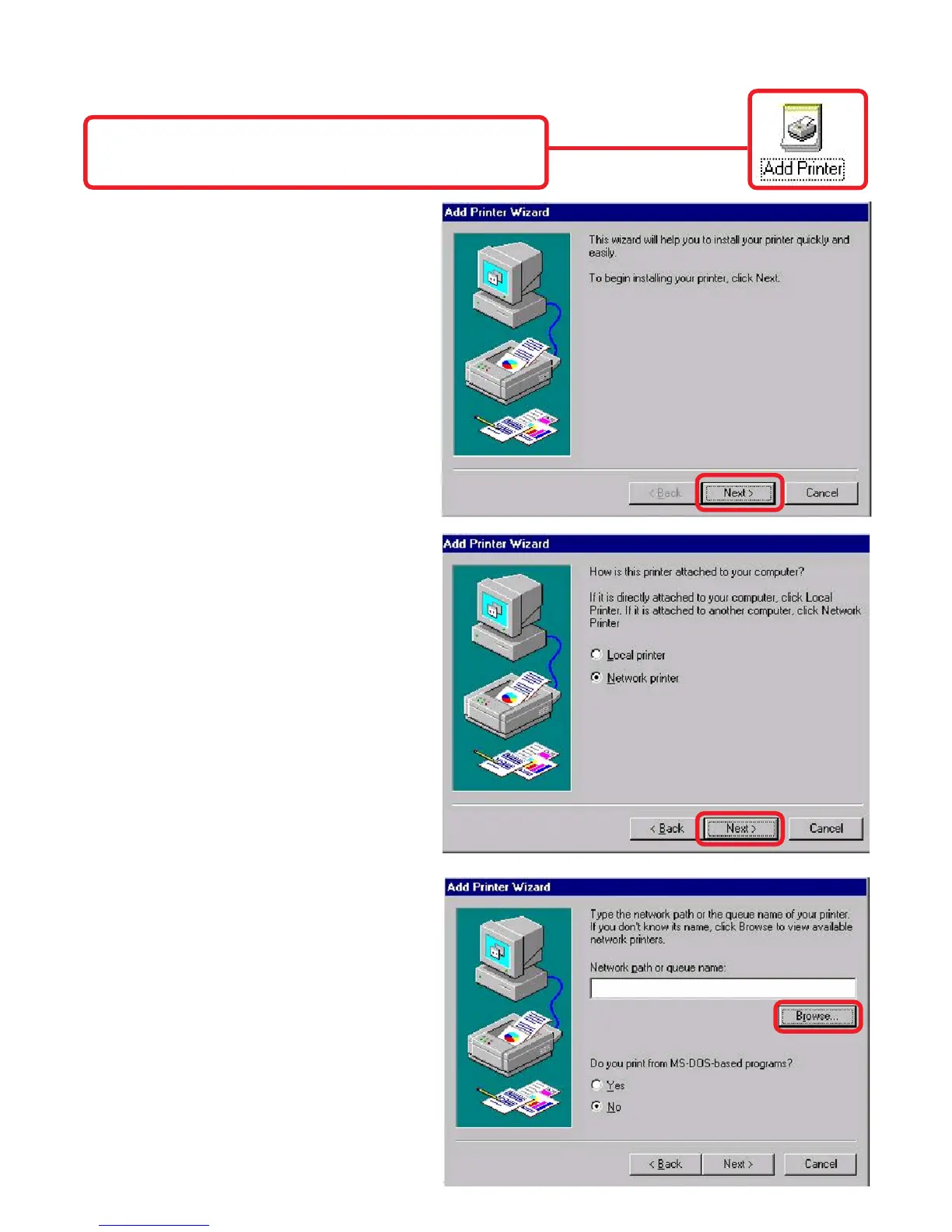
Once your computer has rebooted, click on
Start > Settings > Printers > Add Printer
When the Add Printer Wizard
screen appears, click Next.
Select Network Printer.
Click Next.
Type in the path, if you know it,
or click Browse.
TCP/IP Printing for Windows 98SE/Me (continued)




 To Next Page