
 Need help?
Do you have a question about the D-Link DP-301P and is the answer not in the manual?
D-Link warrants hardware products against defects in workmanship and materials for specific periods.
Details how the DP-301P improves network printing services in three ways.
Lists supported network operating systems and protocols like IPX/SPX, TCP/IP, NetBEUI, AppleTalk.
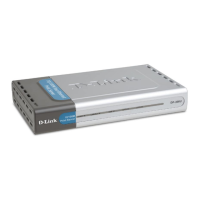
States that this section describes the visible parts of the print server.
Details the RJ-45 jack for network connection and cable requirements.
Specifies the DC power jack requirements and warns against using unauthorized adapters.
Describes the Pw/Tx indicator status for power on and network transmission.
Describes the Lk/Rx indicator status for network connection and receiving data.
Describes the LPT indicator status for printer port data transfer.
Guides on carefully removing items from the package and checking for completeness.
Details the initial LED indicator test sequence upon power-up.
Explains the internal circuitry tests that follow the indicator test.
Describes how to use the Print Test function in PS Admin for connection verification.
Details the printer port type and bidirectional communication standard.
Specifies supported network standards, data transfer rate, and connector type.
Lists supported Ethernet frame types and transport protocols.
Lists the supported TCP/IP protocols for the print server.
Details the management standard (SNMP), MIBs, and diagnostic LED indicators.
Provides specifications for power supply, dimensions, weight, temperature, and humidity.
The D-Link DP-301P Multiprotocol Ethernet/Fast Ethernet Print Server is a compact, pocket-sized device designed to connect a printer directly to a local-area network (LAN), offering enhanced printing services and efficiency. This hardware guide provides detailed information on its features, installation procedures, and troubleshooting methods, ensuring users can effectively set up and manage their network printing environment.
The primary function of the DP-301P is to act as a dedicated print server, offloading the task of managing print file traffic from file servers or individual workstations. By doing so, it frees up valuable server capacity for other critical network services and allows workstations on peer-to-peer networks to print directly without burdening other machines. This direct connection and dedicated management significantly speed up the printing process, enabling high-speed laser printers to operate at their full capacity. The DP-301P is designed to be highly flexible and compatible with all major network operating systems and protocols, including IPX/SPX (Novell NetWare 3.x and 4.x), TCP/IP (Unix lpr/lpd, Windows NT), NetBEUI (Windows NT, Windows 95, Windows for Workgroups, Microsoft LAN Manager, IBM LAN Server), and AppleTalk (MacOS EtherTalk). This broad compatibility makes it a versatile solution for diverse network environments. The device features an IEEE 1284-compliant high-speed bi-directional parallel printer port, which facilitates faster data transmission compared to a computer's standard parallel port. For network connectivity, it includes an RJ-45 jack that supports both 10Base-T Ethernet and 100Base-TX Fast Ethernet, with auto-detecting capabilities for data transfer rates.
The DP-301P is designed for ease of use and portability. Its pocket-sized form factor allows for flexible placement, enabling the printer to be stationed at the most convenient location for users, rather than being tethered to a specific computer or server. Installation involves a straightforward process: first, ensure the printer is operating correctly and then power it off. Next, connect the DP-301P to the network via its RJ-45 jack. It is crucial to establish the network connection before powering up the DP-301P to avoid potential configuration problems. After the network connection is secure, connect the print server directly to the printer's parallel port. Finally, power on the printer, plug the AC power adapter's output into the DP-301P's DC power input jack, and then plug the adapter into an AC power outlet. The DP-301P does not have a power switch; it powers on automatically when connected to an AC outlet, initiating its self-test routines.
The device's front panel features LED indicators that provide visual feedback on its operational status. The "Pw/Tx" indicator confirms power on (steady green) and blinks when transmitting data to the network. The "Lk/Rx" indicator shows a good network connection (steady green) and blinks when receiving data from the network. The "LPT" indicator illuminates steady green whenever print data is being transferred through the printer port.
Configuration and management of the DP-301P are facilitated by the included PS Admin software, a Windows-based program that simplifies setup and administration. For environments where Windows is not available, all configuration and management commands can be issued via a Telnet interface. The PS Admin software also includes a "Print Test" function to confirm print server connections and functions after installation and configuration.
The DP-301P incorporates automatic power-on self-test routines to ensure proper functionality. Upon power-up, it performs two testing procedures. The first is an indicator test, where all three LEDs show steady green for several seconds, followed by three flashes of the LPT indicator while Pw/Tx and Lk/Rx remain steady. Any irregularity in this sequence suggests an issue with the indicators themselves, requiring dealer contact. The second procedure involves circuit tests of the DP-301P's internal components. A normal (no fault) result is indicated by three flashes of the LPT indicator, after which normal print server operation begins.
In the event of an error during the circuit tests, testing halts, and the LPT indicator continuously signals the specific error through a pattern of flashes (e.g., steady long flashes for "Firmware Reload Required," continuously on for "DRAM Error," one long and two short flashes for "Timer INT Error," etc.). If a "Firmware Reload Required" error occurs, users can follow instructions in the PS Admin User's Guide for upgrading the print server's internal firmware. For any other listed error conditions encountered during startup, users are advised to contact their dealer for correction.
The device is designed for a 5V/1.5A power supply, and using the included power adapter is essential; substituting other equipment may void the warranty. The DP-301P is built to operate within a temperature range of 0 to 50°C and can be stored in temperatures from -25 to 55°C, with a non-condensing humidity range of 5% to 95%. These environmental considerations ensure reliable performance in various settings. Regular cleaning should involve disconnecting the device from the power supply and using a damp cloth, avoiding liquid or aerosol cleaners. To prevent damage, only accessories approved by the manufacturer should be used, and the device should be protected from moisture. Proper ventilation is crucial, so the ventilation openings must not be obstructed. For any service or repair inquiries, users should contact their service partner to ensure the operational safety of the device.
 General
| Model | DP-301P |
|---|---|
| Category | Print Server |
| Power Supply | External Power Adapter |
| Ports | 1 x RJ-45, 1 x Parallel |
| Printer Interface | IEEE 1284 Parallel Port |
| Protocols | TCP/IP, NetBEUI, AppleTalk |
| Management | Web-based |
| Compatibility | Windows, Mac OS, Linux, Unix |
| Power | 5V DC |
| Network Interface | 10/100Mbps Ethernet |












 To Next Page