DP-301P Print Server Hardware Guide
Introduction 5
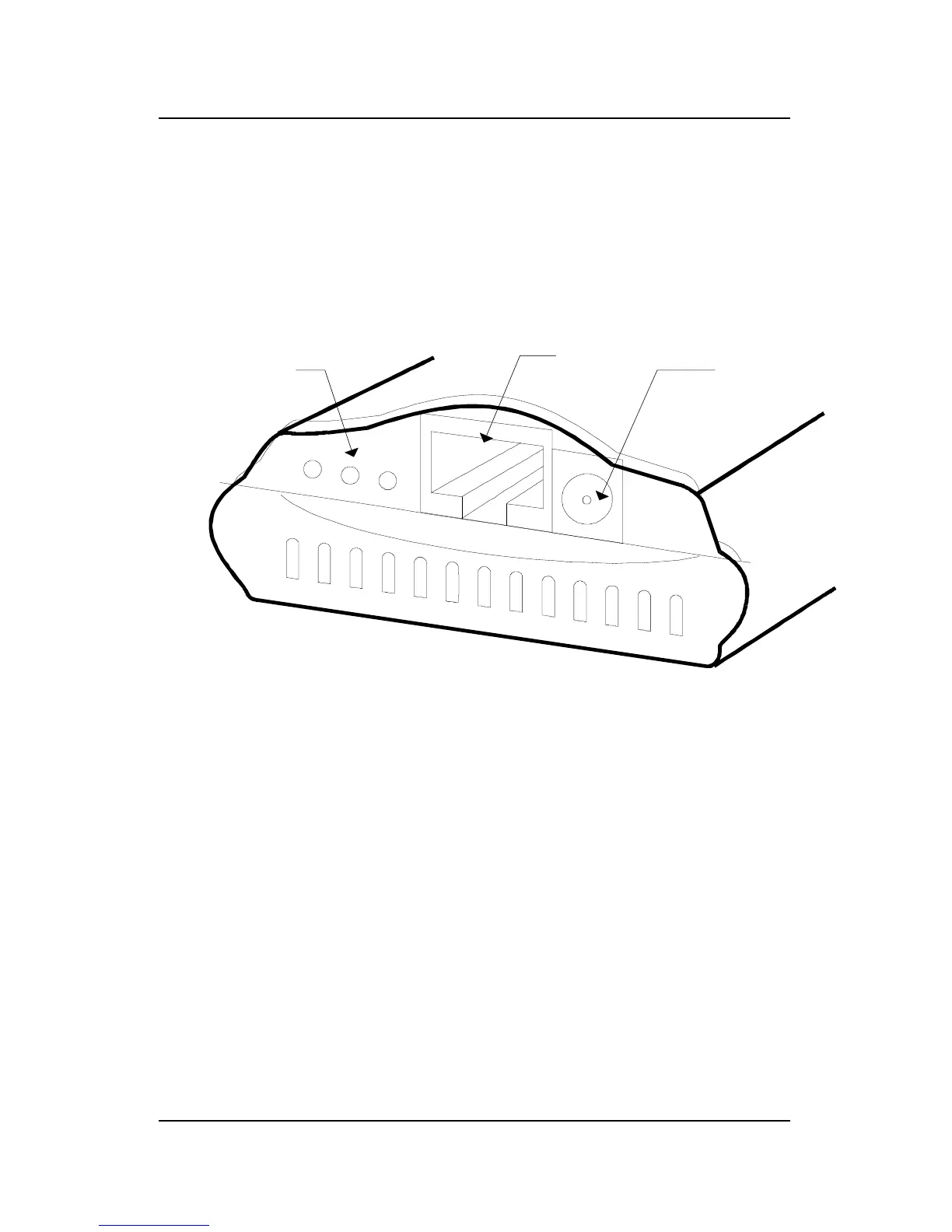
Front
The panel on which the DP-301P’s network port, DC power jack,
and light-emitting diode (LED) indicators appear is referred to in
this guide as the device’s “front” section.
DC Power
Input
DP-301P Front Section
Network Port
The network port, an RJ-45 jack in the middle of the DP-301P’s
front section, provides for connection to the network through an
appropriate twisted-pair cable (Category 3 or higher for 10Base-T
Ethernet, Category 5 or higher for 100Base-TX Fast Ethernet).
DC Power Jack
The DC power jack is designed for a 5V/1.5A power supply. The
power adapter included in your DP-301P package is correct for the
DP-301P. Substitution of other equipment may void warranty.













 To Next Page