6D-Link DSL-2885A User Manual
Section 1 - Product Overview
Hardware Overview
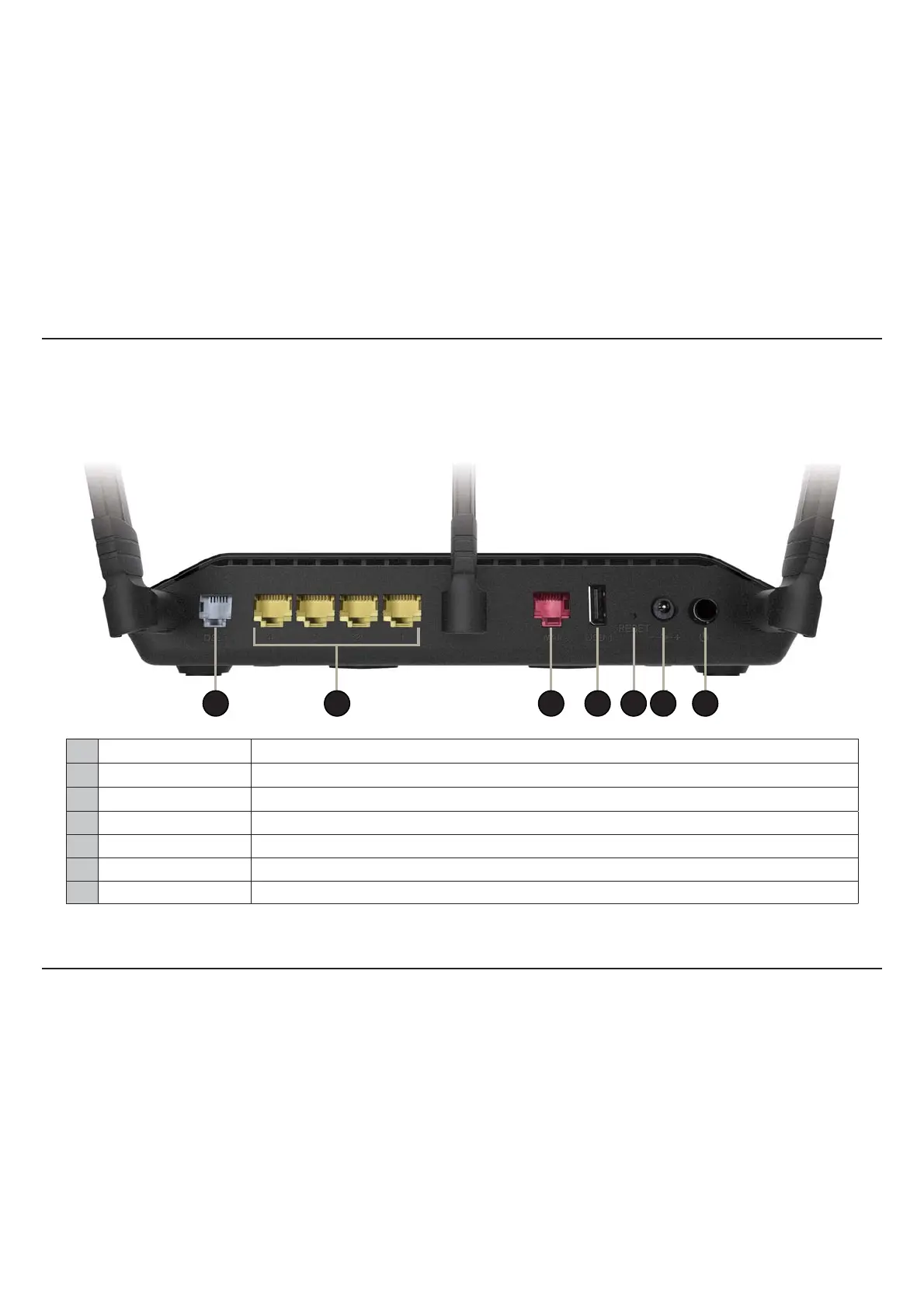
Back Panel
1 3 4 5 62 7
1 DSL Port Connect to an DSL-enabled telephone line and with the supplied microlter/splitter.
2 Gigabit LAN Ports (1-4) Connect Ethernet devices such as computers, switches, storage (NAS) devices and game consoles.
3 Gigabit WAN Port Connect broadband Ethernet WAN devices.
4 USB 2.0 Port C
onnect a USB ash drive to share content , or connect it to a USB printer to share it on your network.
5 Reset Button Insert a paperclip in the hole and wait for several seconds to reset the router to default settings.
6 Power Connector Connector for the supplied power adapter.
7 Power Button P
ress the power button to power on and o.



 To Next Page