DSL-310 ADSL Modem User’s Guide
Product Features
The D-Link DSL-310 ADSL Modem provides the following features:
• Data rates up to 8 Mbps for downstream and 1M bps for upstream
• Friendly web-based graphical user interface for configuration and management
• Supports up to eight simultaneous virtual connections for a single ADSL account
• Supports T1.413 issue 2, G.dmt and G.lite standards
• Auto-handshake and rate adaptation for different ADSL flavors
• Widest range of DSLAM interoperability
• Bridge IP over ATM LLCSNAP (RFC 1483)
• Built-in MIBs for SNMP management
• Upgradeable firmware through HTTP
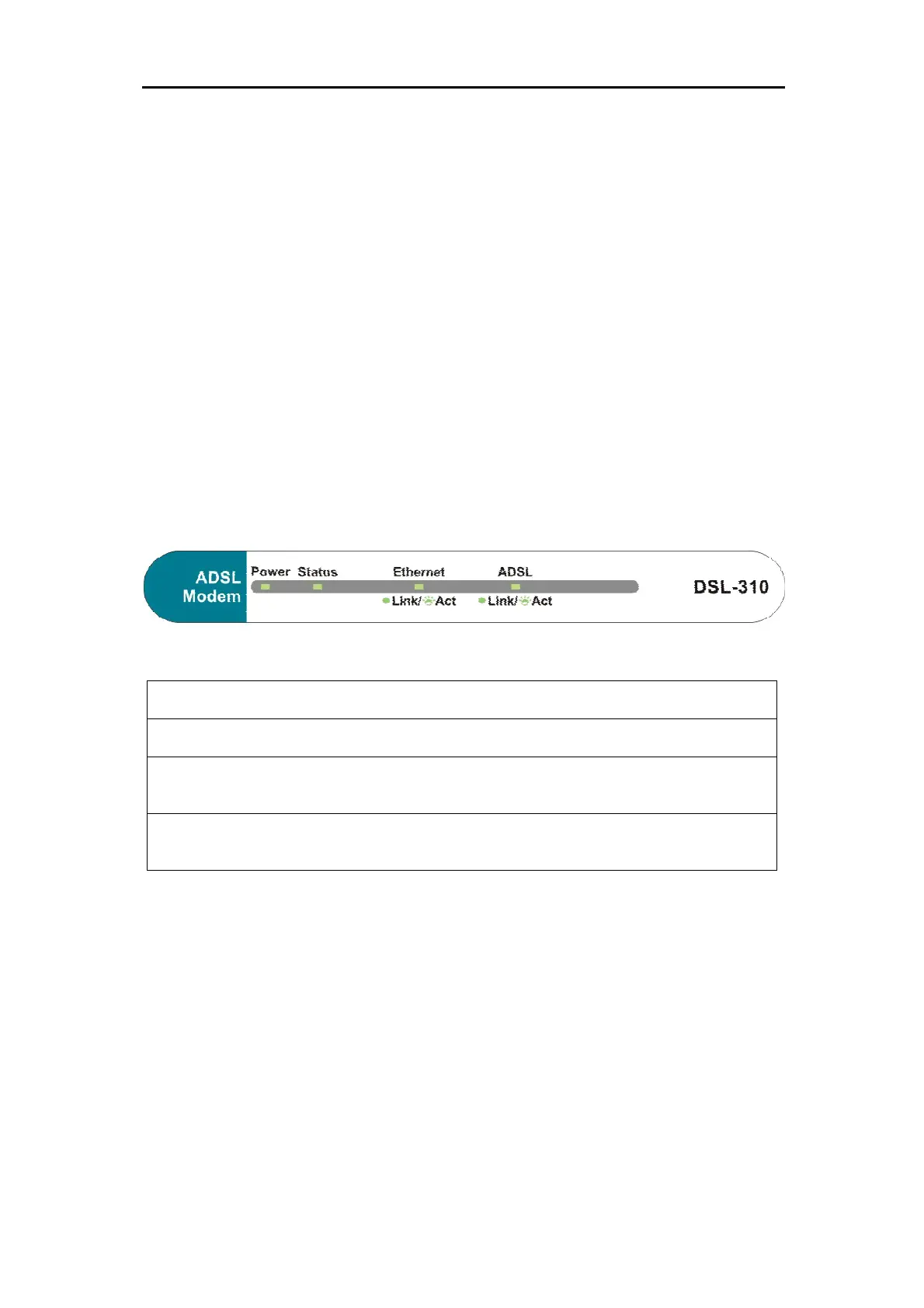
Front Panel
Place the Modem in a location where the LED indicators can be easily viewed.
The LED Indicators read as follows:
Power
Steady green light indicates the unit is powered on.
Status
Blinking green indicates normal operation.
Ethernet: Link/ Act
Steady green light indicates a valid Ethernet connection. Blinking green
indicates an active Ethernet session.
ADSL: Link/Act
Steady green light indicates a valid ADSL connection. This will light after the ADSL
negotiation process has been settled. Blinking green light indicates an active WAN session.



 To Next Page