DSL-310 ADSL Modem User’s Guide
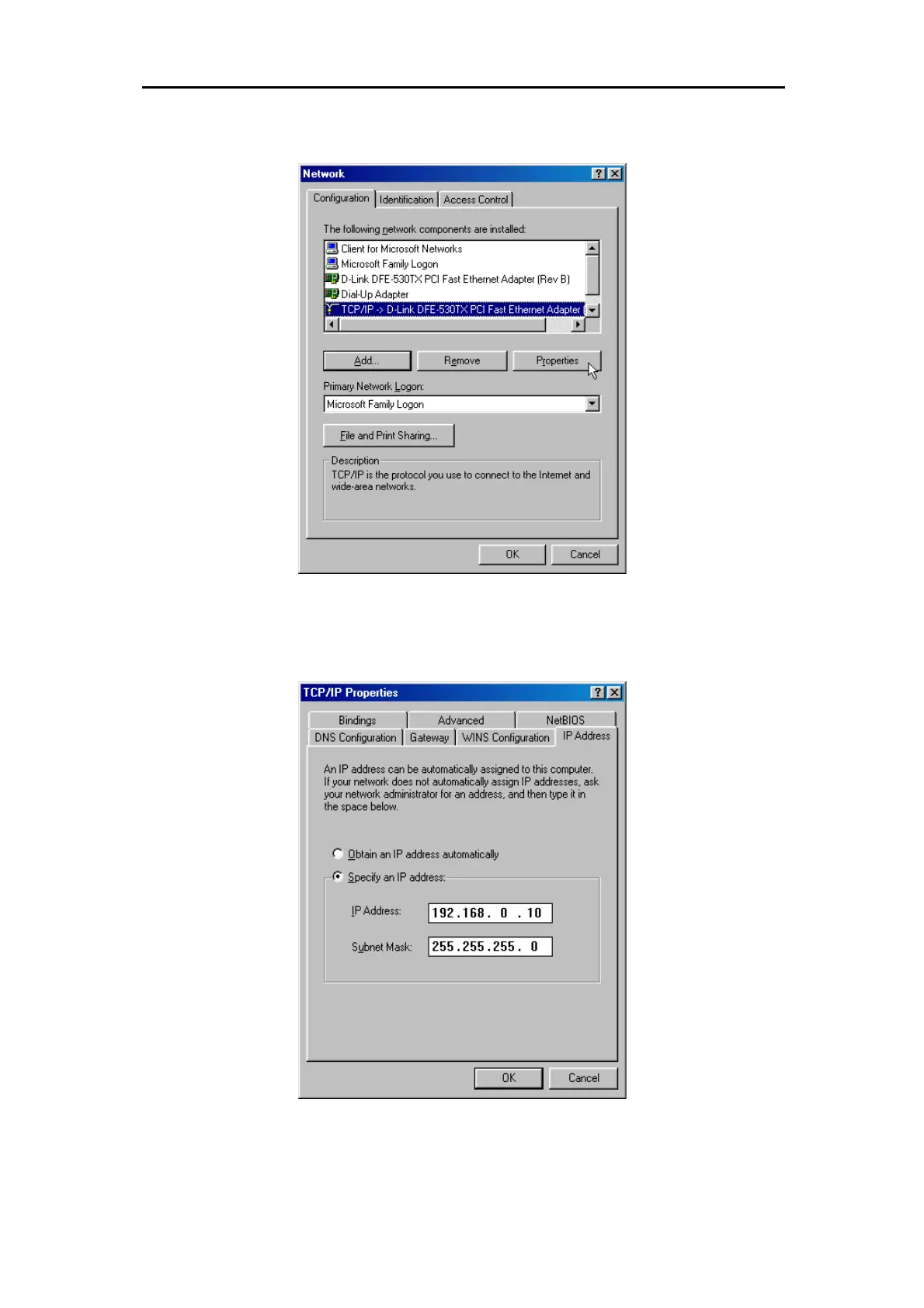
3. In the Network windows appears. Select the
Configuration
tab, select
TCP/IP
protocol line that has
been associated with your network card/adapter and then click
Properties
button.
4. In the TCP/IP Properties
windows appear, then choose the
IP Address
tab, click the
Specify an IP
address:
option. Type in IP settings as follows, IP Address:
192.168.0.10
, Subnet Mask:
255.255.255.0
.



 To Next Page