21D-Link DSL-3890 User Manual
Section 4 - Conguration
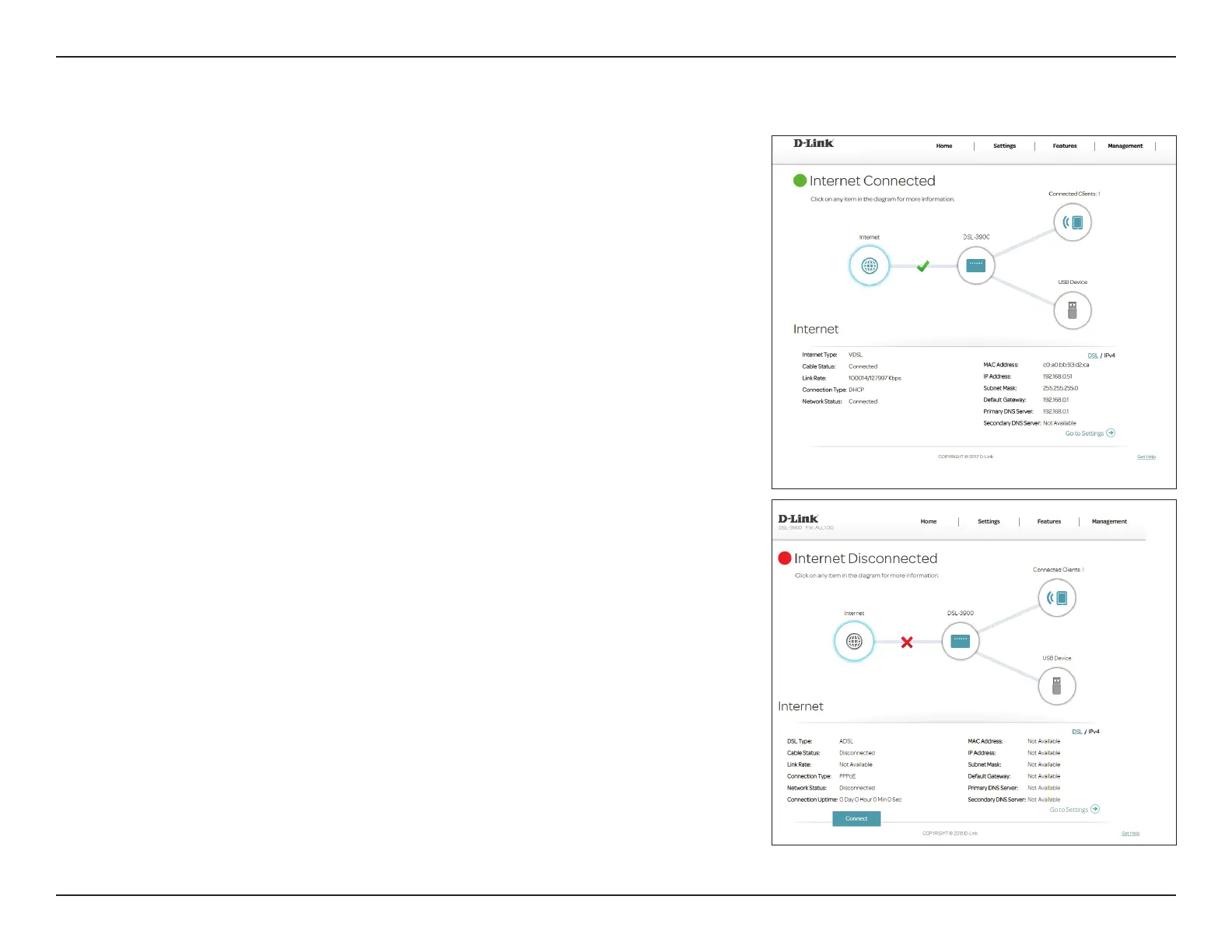
To bring up more details about your Internet connection, click on the Internet
icon. The Internet Connection status at the top of the diagram will reect the
status of the currently selected WAN interface.
If your Internet is disconnected, which is indicated by a red X, you can launch
the Setup Wizard to correct the issue by clicking Wizard from the Settings
menu on the bar on the top of the page.
You can see the DSL connection status and IPv4 information at the bottom of
the page. Clicking the DSL button will display DSL port information.
Internet


 To Next Page