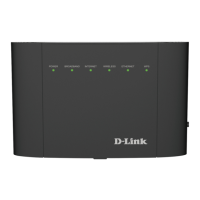
iiD-Link DSL-3890 User Manual
Table of Contents
Preface ................................................................................. i
Product Overview ..............................................................1
Package Contents .........................................................................1
System Requirements .................................................................2
Introduction ................................................................................... 3
Features ............................................................................................4
Hardware Overview ..................................................................... 5
Back Panel ...............................................................................5
Front Panel .............................................................................. 6
LEDs ........................................................................................... 7
Installation ......................................................................... 8
Before you Begin ...........................................................................8
Wireless Installation Considerations ......................................9
Manual Setup ............................................................................... 10
Getting Started ................................................................12
Setup Wizard ................................................................................13
Conguration ...................................................................20
Home ..............................................................................................20
Internet ................................................................................... 21
IPv4 .....................................................................................22
DSL ......................................................................................23
DSL-3890 ................................................................................24
Connected Clients ..............................................................25
USB Device ............................................................................26
Settings ..........................................................................................27
Wizard .....................................................................................27
Internet ................................................................................... 27
ADSL ...................................................................................28
VDSL ...................................................................................30
Ethernet ............................................................................. 31
WAN Settings ................................................................... 32
Dynamic IP (DHCP) ..................................................32
Static IP ........................................................................33
PPPoE............................................................................34
PPPoA ...........................................................................36
Bridge Mode ..............................................................37
Wireless ..................................................................................38
Advanced Settings .............................................................39
Guest Zone .......................................................................44
Network .................................................................................. 45
USB ...........................................................................................48
Features .......................................................................................... 49
Firewall ...................................................................................49
Application ............................................................................ 50
ACL ...........................................................................................51
Features .......................................................................................... 52
QoS Engine............................................................................52
Port Forwarding ..................................................................53
DMZ (Exposed Host) .....................................................55
IP/MAC/Web Filtering ........................................................56
Table of Contents


 To Next Page