7
Installing the Drivers (continued)
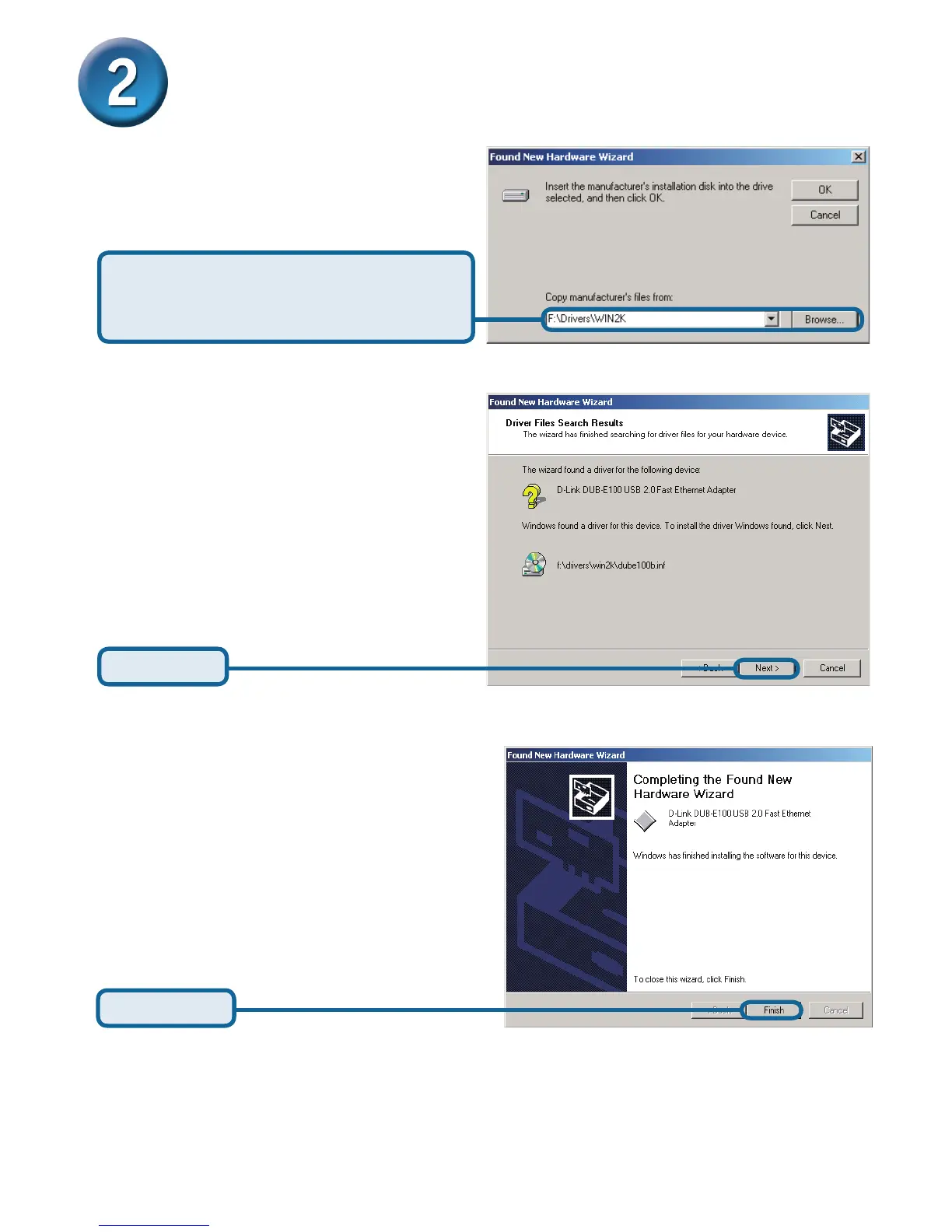
Click Next
Click Browse and navigate to
x:\Drivers\Win2K (where x:
represents your CD-ROM drive letter).
Click Finish
Windows 2000 driver installation is complete. Now you may connect the DUB-E100 to a
network using an Ethernet cable.










 To Next Page