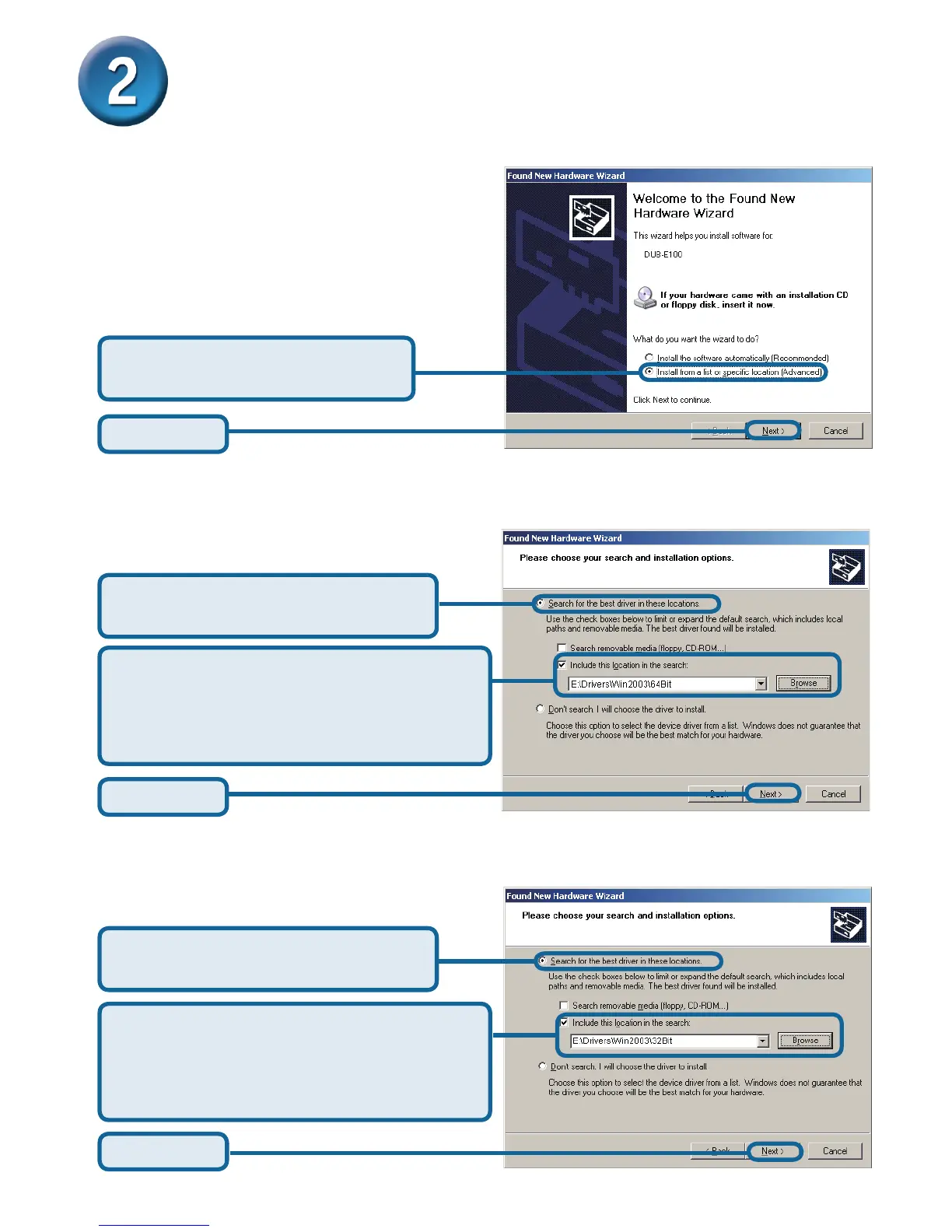
Select Search for the best driver
in these locations
Select Include this location in the
search: and then click Browse to navigate
to x:\Drivers\Win2003\32BIT (where x:
represents your CD-ROM drive letter).
Click Next
For Windows Server 2003 x32 Edition
Installing the Drivers (continued)
Windows 2003
Click Next
Select Install from a list or
specic location (Advanced)
Select Search for the best driver
in these locations
Select Include this location in the
search: and then click Browse to navigate
to x:\Drivers\Win2003\64BIT (where x:
represents your CD-ROM drive letter).
Click Next
For Windows Server 2003 x64 Edition










 To Next Page