EasyManua.ls Logo

D-Link DWA-643 - User Manual

D-Link DWA-643
54 pages
Print Icon
To Next Page IconTo Next Page
Loading...

Other manuals for D-Link DWA-643

Questions and Answers

  • L
    Lucas PrattAug 9, 2025
    How to fix computer not recognizing D-Link Network Card DWA-643?
    • M
      Michael GarciaAug 9, 2025
      If your computer doesn't recognize the D-Link DWA-643 Wireless Network Card, ensure it's properly seated in the computer's cardbus slot. If Windows still doesn't detect it after insertion, completely remove any previously loaded drivers.
  • M
    Michelle ThompsonOct 24, 2025
    What to do if D-Link Network Card DWA-643 is unable to connect to the wireless network and/or the Internet?
    • M
      Michelle FernandezOct 24, 2025
      If your computer with the D-Link DWA-643 Network Card can't connect to the wireless network or the Internet, first, ensure the broadband modem's LED indicators show normal activity, as there might be an issue with the broadband connection. Also, verify that the wireless router's LED indicators are working correctly and that both the AC power and Ethernet cables are securely connected. Check that the IP Address, subnet mask, gateway, and DNS settings are correctly entered for the network. In Infrastructure mode, ensure the same Service Set Identifier (SSID) is specified on both the wireless clients and access points (the default for D-Link products is dlink). In Ad-Hoc mode, both wireless clients need the same SSID, and you might need to set up one client to establish a BSS (Basic Service S...

Summary

Product Overview

Introduction to DWA-643

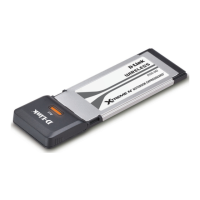
Provides an overview of the D-Link Xtreme N Notebook ExpressCard and its benefits.

Key Features of DWA-643

Highlights the key capabilities and advantages of the wireless adapter.

Installation Guide

Disabling Other Wireless Adapters

Steps to disable built-in or other wireless adapters to prevent conflicts.

Adapter Installation Steps

Step-by-step instructions for installing the DWA-643 ExpressCard and drivers.

DWA-643 Configuration

D-Link Wireless Connection Manager

Using the D-Link software to manage wireless adapter settings.

Wireless Networks Setup

Connecting to available wireless networks using SSID and signal strength.

Managing Wireless Network Profiles

Creating, editing, and deleting wireless network profiles.

Wireless Security Options

Configuring WEP with D-Link Manager

Steps to configure WEP security using the D-Link Wireless Connection Manager.

Configuring WEP with Windows XP Utility

Steps to configure WEP security using the Windows XP wireless utility.

Configuring WPA;WPA2 with D-Link Manager

Steps to configure WPA/WPA2 passphrase using the D-Link Connection Manager.

Configuring WPA;WPA2 with Windows XP Utility

Steps to configure WPA/WPA2 passphrase using the Windows XP wireless utility.

Troubleshooting DWA-643

Verifying Proper Adapter Installation

How to check if the DWA-643 adapter is installed correctly in Device Manager.

Troubleshooting Adapter Recognition

Resolving issues where the computer does not recognize the DWA-643 adapter.

Connection Issues (No Network;Internet)

Diagnosing and resolving problems with connecting to the network or internet.

Network Connection Configuration

Ensuring correct network connection mode (Infrastructure/Ad-Hoc) and security settings.

Networking Basics

D-Link DWA-643 Specifications

General IconGeneral
CategoryNetwork Card
ManufacturerD-Link
ModelDWA-643
Device TypeWireless Adapter
TypeWireless
Wireless Standard802.11n
Frequency Band2.4 GHz
Data Transfer RateUp to 300 Mbps
Antenna TypeInternal
SecurityWEP, WPA, WPA2
Operating Systems SupportedWindows XP, Windows Vista

Related product manuals