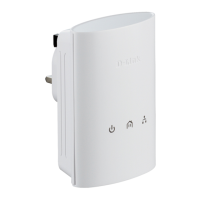
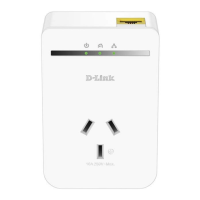
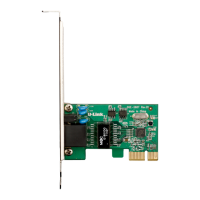
This document describes the D-Link DHP-307AV Powerline AV Network Adapter Starter Kit, a device designed to extend network connectivity within a home or office using existing electrical powerlines. The kit includes two D-Link DHP-306AV Powerline AV Network Adapters, two CAT5 Ethernet cables, a CD-ROM with software and a user manual, and a Quick Install Guide.
Function Description:
The D-Link DHP-307AV Powerline AV Network Starter Kit provides an Ethernet to Powerline connection, allowing users to connect home computers, networking devices, and gaming devices through the electrical powerlines. This enables sharing of Internet connections, printers, and files, as well as playing games across the network without running new Ethernet cables. The adapters offer a fast data transfer rate of up to 200Mbps, making them suitable for various network activities, including streaming. Each adapter features one 10/100 Ethernet port for connecting to network devices or PCs. The system is designed for plug-and-play, easy installation, and includes a user-friendly management utility. It also supports firmware upgrades and features a power-saving mode to reduce energy consumption.
Important Technical Specifications:
- Network Ports: One 10/100 Ethernet port per adapter.
- Data Transfer Rate: Up to 200Mbps (theoretical PHY rate; actual throughput may vary due to network conditions and environmental factors).
- Encryption: 128-bit AES for secure network communication.
- AC Input: 100-240VAC, 50-60Hz.
- Operating Temperature: 0°C to 40°C.
- Storage Temperature: -10°C to 70°C.
- Humidity (Operation): 10% to 90% RH (non-condensing).
- Humidity (Storage): 5% to 90% RH (non-condensing).
- EMC Compliance: FCC Part 15 Class B, CE Class B, C-Tick.
- Safety Compliance: UL, CE LVD.
- System Requirements: Windows 7, Windows Vista, or Windows XP (with Service Pack 2); PC with 233MHz Processor, 64MB Memory; Ethernet Adapter (100MBit/s).
Usage Features:
The DHP-307AV adapters are designed for straightforward use.
- Power Connection: Adapters plug directly into an AC wall outlet or power strip. For optimal performance, direct wall socket connection is recommended to minimize noise and interference. The Power LED illuminates when the device is receiving power.
- Ethernet Connection: Connect an Ethernet cable from the adapter to a network device or PC. The Ethernet LED indicates network connectivity.
- LED Indicators:
- Power LED: Solid light indicates power; blinking indicates setup (after reset, security button press, or power-saving mode); off indicates no power.
- HomePlug LED: Solid indicates connection to a Powerline network; blinking indicates data transmission; off indicates no compatible Powerline devices with the same encryption key. The color of the HomePlug LED indicates link rate: Green (faster than 80 Mbps), Amber (50-80 Mbps), Red (less than 50 Mbps).
- Ethernet LED: Solid indicates Ethernet port linked with no data traffic; blinking indicates data transmission; off indicates no Ethernet connection.
- Security Button: Used to secure the network. Pressing it for no more than two seconds initiates a private encryption key setup.
- Reset Button: Press and hold for 1 second to reset the device to factory default settings.
- Push Button Security: Allows users to create a private encryption key for their Powerline network, protecting it from unauthorized access. This involves pressing the security button on the first adapter, then on subsequent adapters within two minutes. The adapters memorize these settings even when unplugged.
- Management Utility: The D-Link Powerline AV Utility (included on CD-ROM) provides options for setting up the Powerline network, viewing connected device information (device name, location, quality, link rate, MAC address, firmware version), and managing encryption keys.
- Adding More Adapters: Additional adapters can be added to an existing secure Powerline network by pressing their security button and then the security button of any existing adapter within two minutes.
Maintenance Features:
- Firmware Upgrade Support: The device supports firmware upgrades, which can be managed through the Powerline AV Utility.
- Troubleshooting: The manual provides guidance for common issues such as the utility not starting, adapters not being detected, configuration errors, or connection cable changes. Restarting the utility or resetting adapters to default values are common solutions.
- Warranty: D-Link provides a Limited Warranty for the hardware portion of the product for one year (excluding power supplies and fans, which also have a one-year warranty, and spare parts/kits with a ninety-day warranty). The warranty covers material defects in workmanship and materials under normal use. Software is warranted for ninety days to conform to functional specifications.
- Technical Support: D-Link offers technical support via phone and web for customers in the U.S. and Canada, providing assistance with product model, hardware revision, and serial number. Software updates, user documentation, FAQs, and technical issues are available on the D-Link website.
- Product Registration: Users are encouraged to register their product online at http://support.dlink.com/register, though registration is voluntary and does not diminish warranty rights.

 Need help?
 General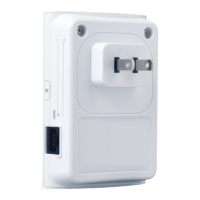

 To Next Page