Technical Support Setup Procedure
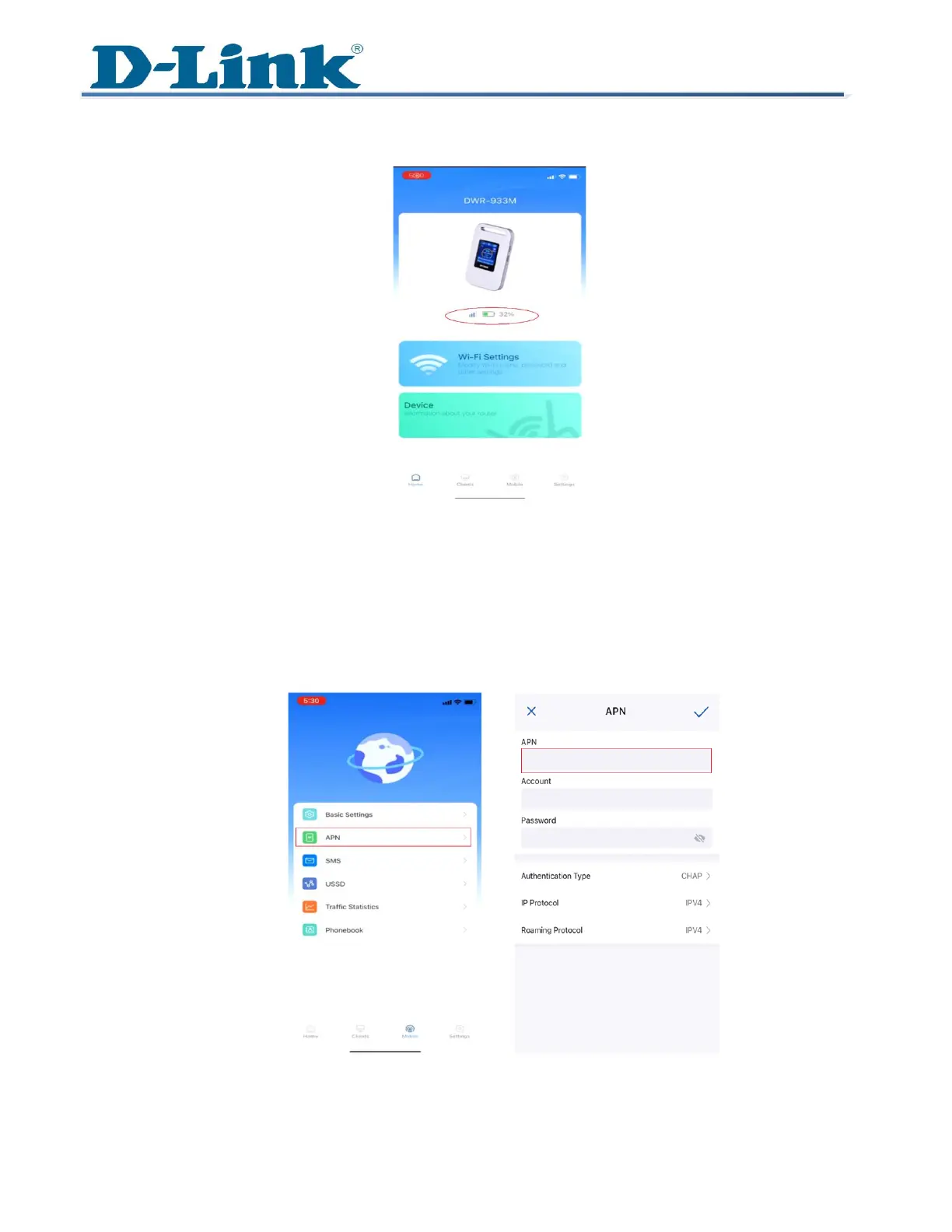
5 You'll notice a blue signal bar displayed on the screen, indicating that the router has
successfully connected to the internet.
Note: If the connection isn't detected, you can manually set up the connection by entering
the Access Point Name (APN) specific to your SIM card's carrier.
6 Navigate to Mobile and Look for APN.
7 Enter the APN details, then proceed to save the changes. Remember to have the correct
APN information, usually provided by your SIM card provider.
---END---



 To Previous Page