13D-Link EBR-2310 User Manual
Section 3 - Conguration
Conguration
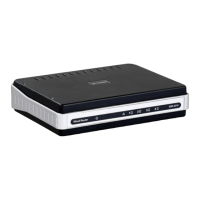
The EBR-2310 provides an embedded Web-based management utility making it operating system independent. You can congure your EBR-2310
through the Netscape Communicator or Internet Explorer browser in MS Windows
®
, Macintosh, Linux or UNIX based platforms. All that is needed
is a web browser such as Internet Explorer or Netscape Navigator with Java Script enabled.
Log in
Open your web browser and type in the IP address of the EBR-2310 into the Location (for Netscape) or Address (for IE) eld and press “Enter.” The
default IP address of the EBR-2310 is 192.168.0.1. You may also use http://dlinkrouter/.
For example: http://192.168.0.1
After the connection is established, the logon screen will pop up.
To log in as an administrator, enter the username of “admin” and the password (there isn’t a default password, leave it blank). Click the OK button.
If the password is correct, the web-management interface will appear.










 To Next Page
