80D-Link EBR-2310 User Manual
Appendix B - Adding and Sharing Printers in Windows
®
XP
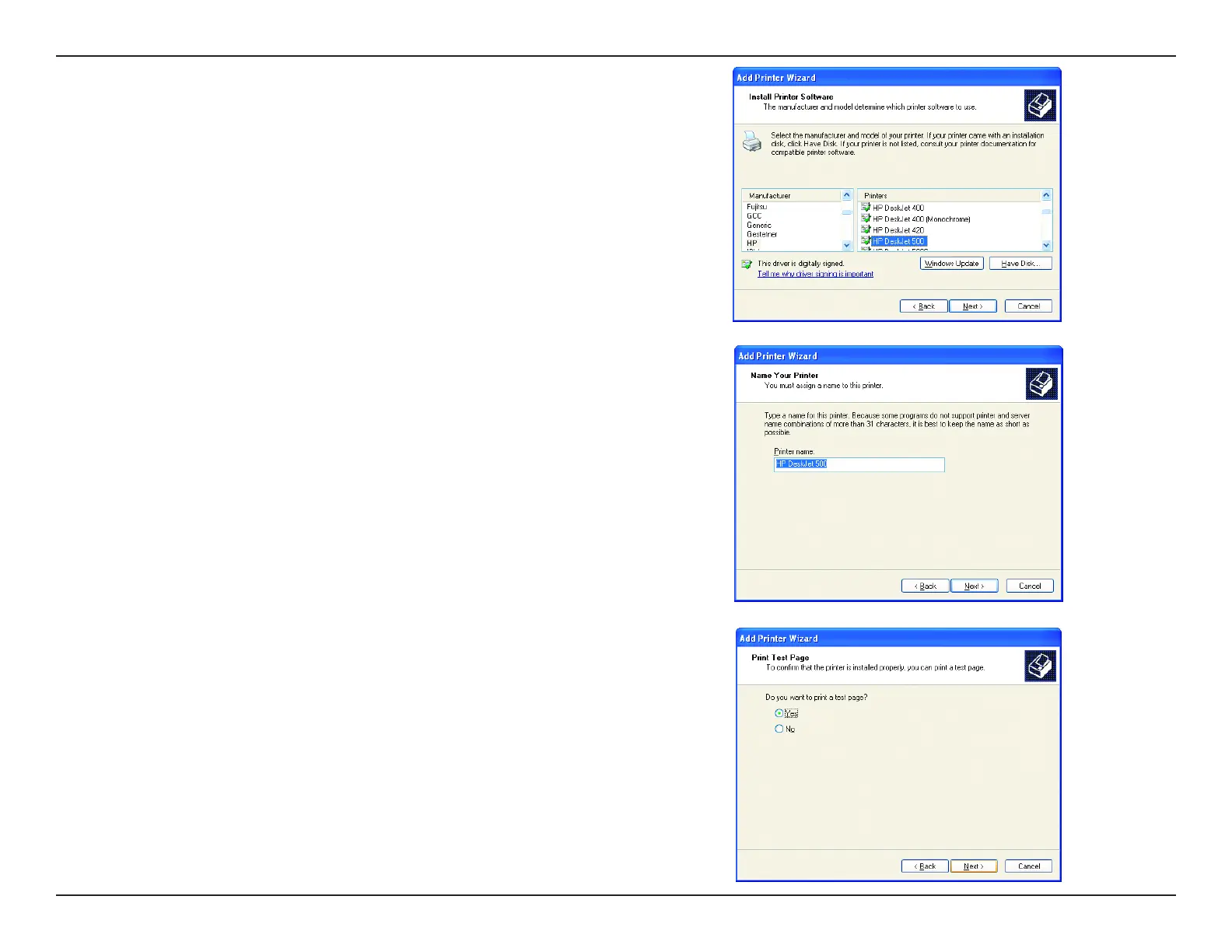
• Select and highlight the correct driver for your printer.
• Click Next
(If the correct driver is not displayed, insert the CD or oppy disk that came with your
printer and click Have Disk).
• At this screen, you can change the name of the printer (optional).
• Click Next
• Select Yes, to print a test page. A successful printing will conrm that you have
chosen the correct driver.
• Click Next










 To Next Page