6
Hardware Installation
Hardware Installation
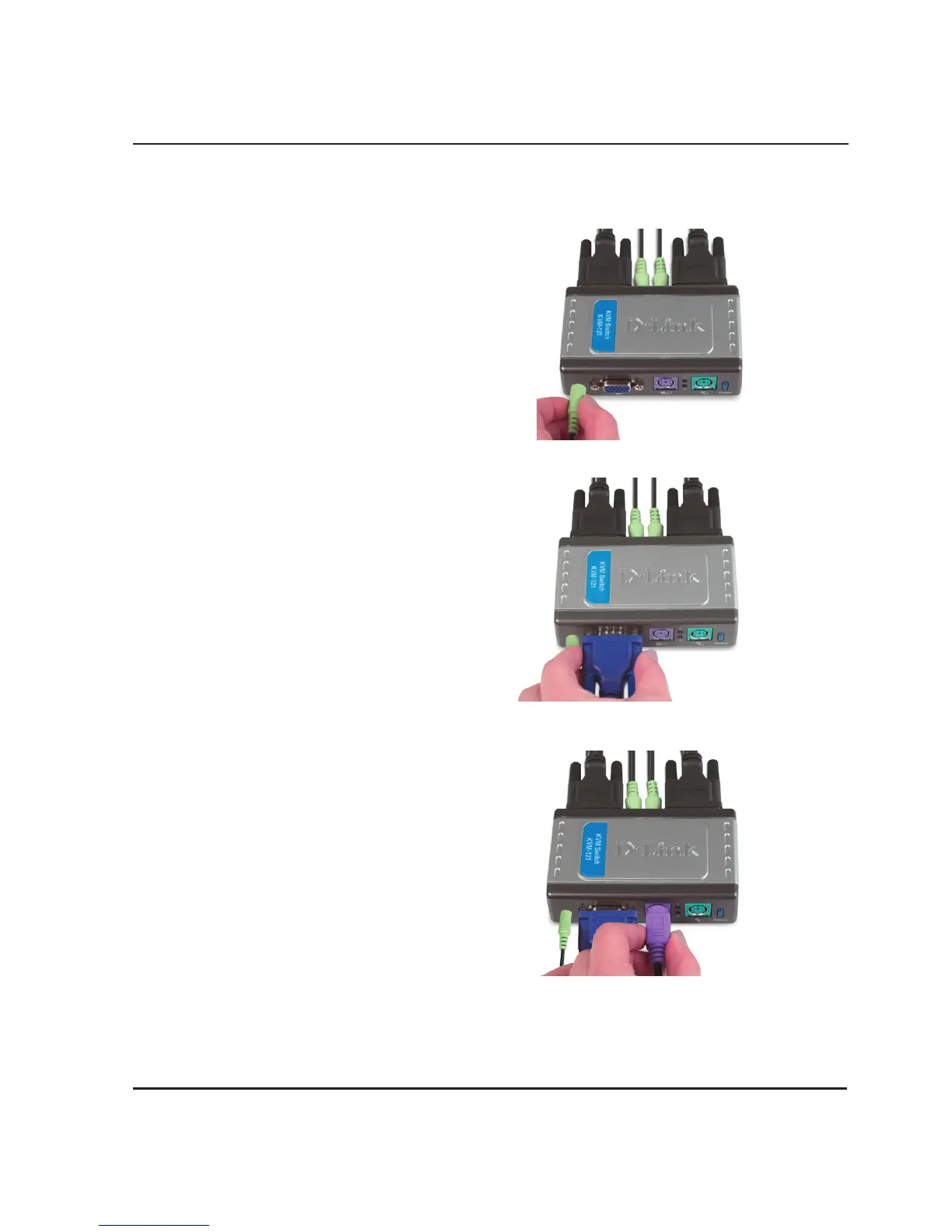
Attach your headphone or speakers
to the green audio jack located on
the KVM-121.
Attach your monitor’s 15-pin VGA
connector to the blue VGA port
located on the KVM-121.
Attach your computer’s 6-pin PS/2
male keyboard connector to the
purple keyboard port located on the
KVM-121.








 To Next Page